
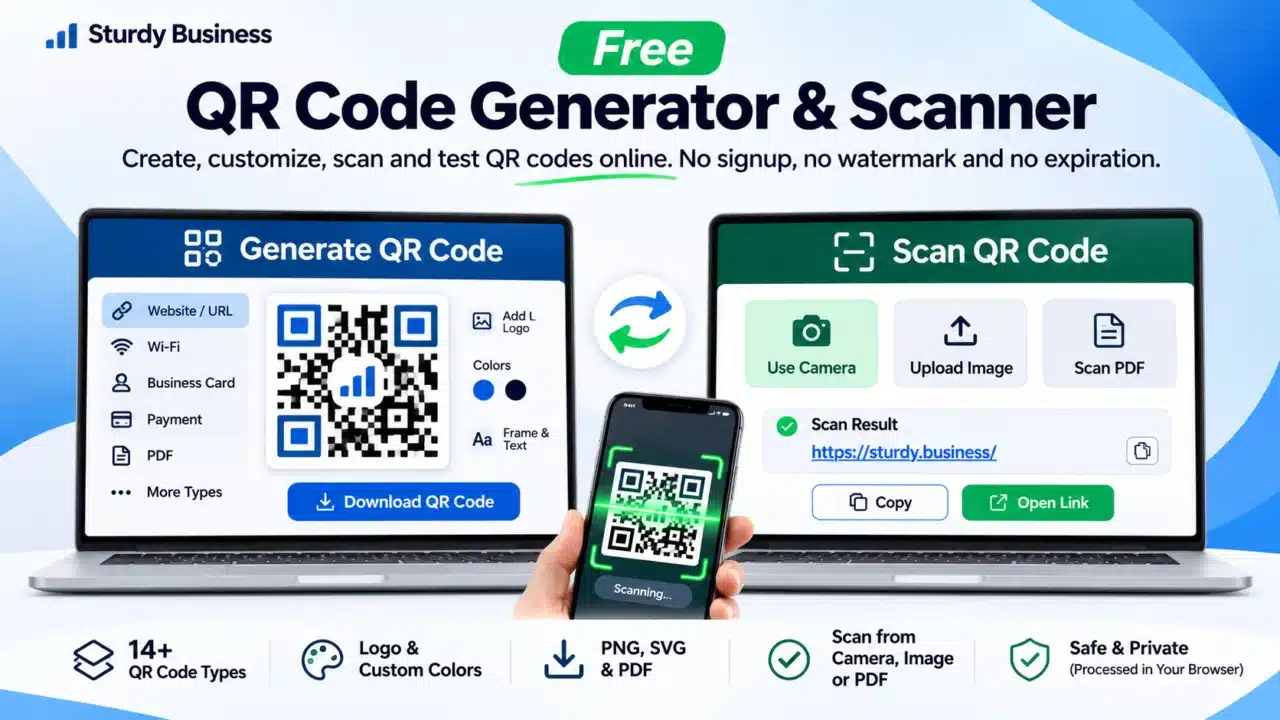
Create a free QR code for a website, payment link, Wi-Fi network, business card or PDF.
You can also switch to the QR code scanner to read codes from your camera, images, screenshots or PDF files. No signup is required.
Generate or scan a QR code
Customize QR code
Use dark modules, a light background and a small logo. Test the final code before printing.
Advanced: bulk QR codes
Camera access requires permission. On supported browsers, the scanner can also read multiple codes and common barcodes. The decoding libraries may be loaded from a CDN; your selected files are processed in the browser.
Free static QR codes · No signup or watermark · No automatic link opening
Create a QR code with your own logo, brand colors and a custom caption, completely free. Open Customize QR code in the generator above.
You can download high-resolution PNG, SVG or PDF files, print your QR code or test it before sharing.
Free QR code generator and scanner features
| Feature | What you can do |
|---|---|
| Custom QR code generator | Add a business logo, change the QR code and background colors, and add a caption. |
| 14 QR code types | Create QR codes for links, text, Wi-Fi, business cards, PDFs, payments, WhatsApp, Google reviews, email, phone, SMS, locations, calendar events and social media. |
| High-resolution QR codes | Choose 512, 1024 or 2048 pixels for raster downloads; export as PNG, SVG or PDF. |
| Bulk QR code generator | Generate up to 50 QR codes from links or text values at once. |
| Free QR code scanner | Scan with a camera or webcam, upload a picture or PDF, or paste a screenshot. |
| QR code reader and tester | Read the encoded information, copy the result and test a generated code before printing. |
How to create a QR code for free
- Choose the QR code type.
- Enter the website link, text or other information you want to share.
- Select Generate QR code.
- Customize the code if needed, then generate it again.
- Check the scan test and download the finished QR code.
For most purposes, a black QR code on a white background is a good choice. You can use it on a business card, a flyer, a sign or a product label.
How to scan a QR code online
Switch to Scan QR code at the top of the tool. Select Start camera and allow camera access, or upload an image or PDF.
You can also paste a screenshot or drag an image into the upload area.
The scanner displays the decoded information before you open anything. Copy the result or review the destination and open the link yourself. Camera support depends on your browser and device.
What types of QR codes can you create?
Website, PDF and payment QR codes
Paste a complete website URL, a public PDF link or the payment link provided by your payment service. A customer who scans the code can open that destination.
For a payment QR code, the payment service handles the transaction.
If you need a payment QR code on a business document, our invoice generator and quotation generator also support payment QR codes.
Wi-Fi QR codes
Enter the network name (SSID), security type and password. Guests can scan the code to retrieve the connection information on compatible devices.
Remember that anyone who reads a Wi-Fi QR code can access the encoded credentials.
Use a separate guest network when sharing a code publicly.
Business card and contact QR codes
Choose Business card (vCard) and enter your name, company, phone number, email and website. A compatible phone can read the contact details and offer to save them.
Google reviews, WhatsApp and social media
Use your Google review link to create a QR code for a counter sign or receipt. For WhatsApp, enter your number with the country code and an optional message.
You can also encode a social profile URL, email, phone number, SMS, location or event.
Static vs. dynamic QR codes: Which one do you need?
A static QR code stores the destination or information directly in its pattern. It does not need a subscription or a redirect service.
The code itself does not expire, but a linked website or payment link can expire, move or stop working.
A dynamic QR code typically contains a redirect URL controlled by a service. You may be able to change its destination after printing it.
Our generator creates static codes, not hosted dynamic redirects or scan-tracking campaigns.
To retain control of a printed code, you can encode a stable URL on your own website and update the page behind that URL.
How to scan a QR code from an image, screenshot or PDF
Take a screenshot, switch to the scanner and select the image from your device. On supported browsers, you can also paste it from the clipboard.
This is useful when the QR code is displayed on the same phone you are using.
You can also drag and drop a QR code image or upload a PNG, JPG or WebP file directly from your computer or phone.
The scanner can read multiple codes and common product barcodes when your browser supports native barcode detection. On other browsers, the fallback reads one QR code per image or PDF page.
For PDFs, upload the document itself. The tool scans up to the first 20 pages of files up to 25 MB.
If a document does not scan, take a clear screenshot of the page containing the code and upload that image instead.
How to create a custom QR code with your logo
Open Customize QR code, upload a PNG, JPG or WebP logo and generate the code again. Keep the logo small and use dark modules on a light background.
The generator uses the highest error correction level when a logo is present.
You can also choose your brand color, background color and error correction level. Add a short caption such as “Scan to pay” or “Scan to book.”
All customization options are free and do not require a login.
Test the finished code, especially after changing the colors or adding a logo.
A successful scan test confirms the decoded content in that image, but test a printed sample too before ordering signs, labels or packaging.
How small businesses can use QR codes
A restaurant can link to its current menu, a retailer can link to product instructions, and a service business can link to its booking page or review form.
Print the code with a clear caption such as “Scan to view menu” or “Scan to leave a review.”
How to generate QR codes in bulk
For bulk QR codes, enter up to 50 links or text values, one per line, under Advanced. Each code is available as a separate PNG download.
Why is my QR code not scanning?
Check that the code is sharp, square and has a clear white or light border. Remove large logos and avoid low-contrast colors.
If the image is too small or blurry, use a larger original image and try again. For camera scans, improve the lighting and hold the camera steady.
How to download or print a high-resolution QR code
Under Customize QR code, choose 512, 1024 or 2048 pixels, then generate your code. Download PNG for images and digital designs, SVG for scalable artwork or PDF for printing.
You can also select Print directly from the preview.
Use the Test QR code button to check whether the generated image decodes to the original information. Test the physical print with a phone before distributing it.
Frequently asked questions
Is the QR code generator really free?
Yes. You can generate static QR codes and download them without creating an account or paying for a subscription. There is no watermark. Payment providers and linked services may have their own fees.
Can I create a QR code without signup or a watermark?
Yes. You can generate, customize and download QR codes without signing up or adding a watermark. This includes QR codes with a logo, custom colors and captions.
Do free QR codes expire?
Static QR codes do not expire on their own. If they contain a URL, that URL must remain available.
If a payment link has an expiry date, generating a QR code from it does not extend that date.
Can I create a QR code for a PDF without uploading it?
Yes. If the PDF is already available at a public URL, paste that link into the PDF QR code option. The generator does not host your PDF.
Can I scan QR codes without downloading an app?
Yes. Use the online scanner on a compatible browser and grant camera access, or upload a photo, screenshot or PDF. No separate app is required.
Is it safe to scan a QR code?
A QR code can contain a legitimate link or a fraudulent one. Review the decoded destination before opening it. The scanner does not automatically open links or determine whether a website is trustworthy.
Can QR codes work offline?
A QR code containing plain text or contact information can be decoded without internet access by an offline-capable scanner. Opening a website or payment page usually requires a connection.
Our generator uses a local encoder after the page loads; scanner and PDF libraries may require a connection to load.
Are my QR codes and uploaded images private?
The tool generates and decodes codes in your browser rather than uploading your selected files to Sturdy Business. Browser libraries for decoding and PDF reading may be loaded from a content delivery network.
Explore our other free business tools for invoicing, pricing and financial planning.