
If you’re looking for a reliable projector for your small business but don’t understand brightness, throw distance, or resolution, we’ve got you covered.
You may not have the time to check every projector’s specifications and figure out whether it will work in your meeting room.
No worries, we’ve done the research for you.
We’ve selected ten projectors for different small-business needs, from small meeting rooms and portable presentations to larger boardrooms and training spaces.
But the right projector depends on where you use it and what you show on the screen.
For instance, if you’re presenting spreadsheets and financial reports in a bright boardroom, you need enough brightness and resolution to keep small text readable. For smaller meetings where participants sit close to a display, one of our business monitors might be simpler than a projector.
On the other hand, if you’re training employees in a small room, a short-throw projector can create a useful image without placing the machine at the back of the room.
Similarly, if you move between offices or client locations, portability and easy connections may matter more than a permanent installation.
And one more thing. A projector’s purchase price isn’t its only cost. Lamp replacement, maintenance, and how often you use it can affect long-term value.
That’s why we’ve considered room size, lighting, presentation type, installation needs, and maintenance when choosing these projectors.
By the way, you can use our business projector finder below. Answer a few questions about your room and presentations, and it will show suitable models from our reviews.
On this page
Find the Right Projector for Your Business
Answer four simple questions about your room and presentations. We will suggest projectors from the ten models reviewed below.
Business Projector Finder
Business projector picks for different rooms
Match the projector to the room, the detail on your slides and how often you move it. Use the finder above for a room-based shortlist, then compare these options.
Bright boardrooms and detailed reports
Epson PowerLite L530U
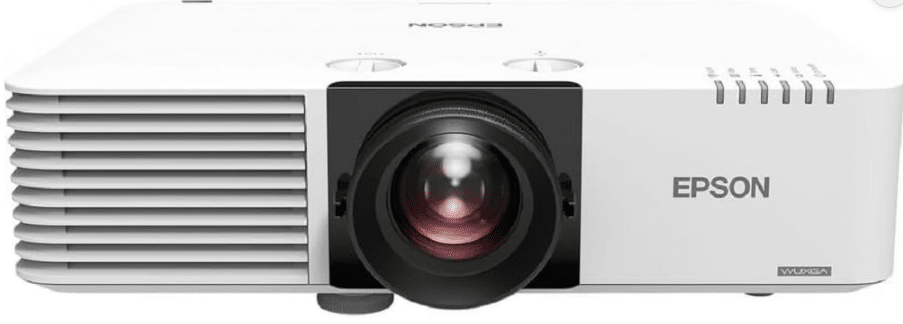
WUXGA 1920 × 1200 · 5,200 lumens · Lens shift
The WUXGA image provides room for detailed slides, and lens shift helps align a fixed installation without relying entirely on digital correction.
Trade-off: Conventional throw distance; allow space between the projector and screen.
Entrepreneurs presenting at client offices
Epson Pro EX11000
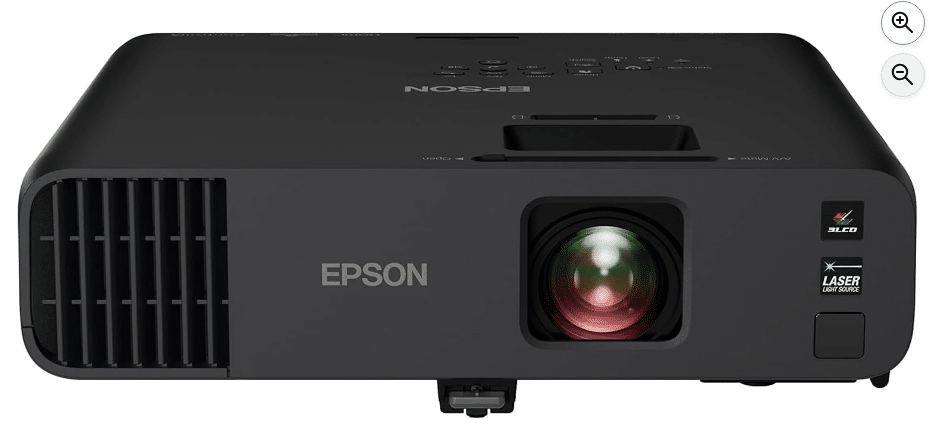
Full HD · 4,600 lumens · HDMI and Miracast
Wired and compatible wireless inputs help when presenting from different devices. Optical zoom offers flexibility when table positions change.
Trade-off: It needs mains power and is not a pocket-size, battery-operated projector.
Small rooms needing a short throw
BenQ LH830ST
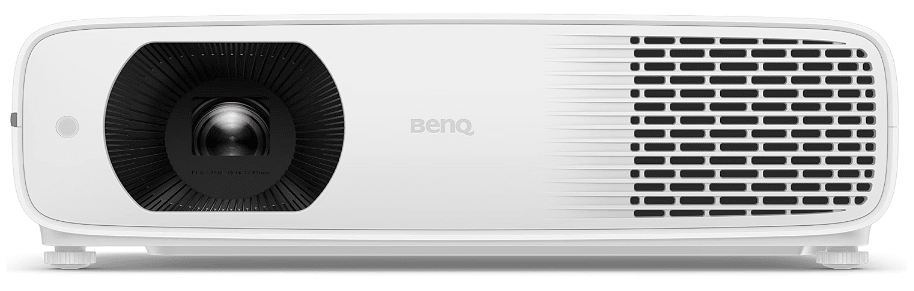
Full HD · Short-throw design · Laser light source
Short-throw projection helps create a larger image when there is little space between the screen and projector.
Trade-off: Placement still needs to match the model’s throw ratio.
Product Reviews: What Each Option Does Best
1. Epson PowerLite L530U — Large boardrooms and detailed technical slides
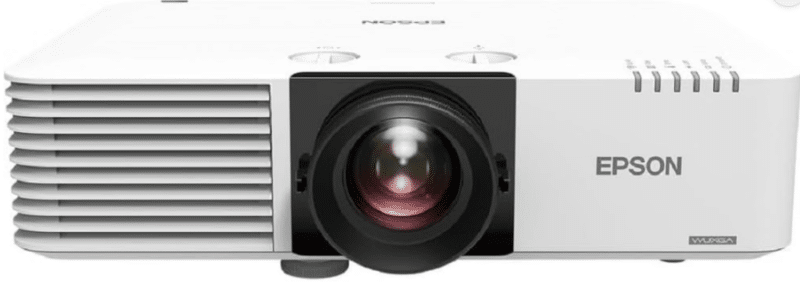
The Epson PowerLite L530U is one of our best business projectors for large boardrooms and technical training rooms.
Key Specifications
- Native resolution: 1920 × 1200 (WUXGA), 3LCD
- Brightness: 5,200 lumens white (ISO) and color (IDMS)
- Light source: Laser; rated 20,000 hours in Normal mode
- Throw ratio: 1.35–2.20:1; 1.6× zoom
- Placement: Vertical and horizontal lens shift
- Connections: Dual HDMI, HDBaseT and network connectivity
This business projector is best for
Its 5,200-lumen output and native 1920 × 1200 resolution are particularly useful when presenting detailed engineering drawings, financial spreadsheets and reports to a larger audience. The extra vertical resolution helps keep more content visible.
Why we recommend it
For a 100-inch 16:10 image, its throw ratio gives an approximate lens-to-screen distance of 2.9–4.7 metres. Optical zoom and horizontal and vertical lens shift make permanent installations more flexible. Its laser source avoids routine lamp replacements.
- Detailed WUXGA workspace
- Optical installation adjustment
- Higher installation cost
- Not a short-throw model
2. Epson Pro EX11000 — Trainers moving between presentation rooms
The Epson Pro EX11000 is a practical laser projector for consultants and trainers who present in different offices.
Key Specifications
- Native resolution: 1920 × 1080, 3LCD
- Brightness: 4,600 lumens white (ISO) and color (IDMS)
- Light source: Laser; rated 20,000 hours
- Optical zoom: 1.6×, conventional throw
- Connections: Miracast, two HDMI inputs and USB power
- Audio: Built-in 16W speaker
This business projector is best for
Its 4,600-lumen Full HD image is useful for PowerPoint training decks, demonstrations and videos. Miracast supports wireless presentation from compatible Windows laptops, while two HDMI ports accommodate wired devices.
Why we recommend it
The 1.6× optical zoom helps you adjust to available table positions without sacrificing resolution through digital zoom. Its built-in 16W speaker is useful when playing training clips, and the laser source eliminates routine lamp replacement.
- Laser illumination
- Wired and wireless presentation inputs
- Less placement freedom than lens-shift installation units
- Not native 4K
3. BenQ LH730 — Marketing presentations and brand visuals
The BenQ LH730 is one of our best business projectors for marketing teams presenting campaign graphics and brand visuals.
Key Specifications
- Native resolution: 1920 × 1080
- Brightness: 4,000 ANSI lumens
- Light source: 4LED; 20,000-hour Normal / 30,000-hour Eco rating
- Color coverage: 98% Rec.709
- Throw ratio: 1.30–1.56:1; 1.2× zoom
- Inputs: Two HDMI ports; wireless sharing requires compatible accessories
This business projector is best for
Its 98% Rec.709 coverage is useful when reviewing digital advertisements, product photographs and video presentations. The 4,000 ANSI-lumen Full HD panel suits meeting-room slides.
Why we recommend it
For a 100-inch 16:9 image, the 1.30–1.56 throw ratio gives a lens distance of approximately 2.9–3.5 metres. Its 4LED source avoids replacement lamps. It accepts 4K input but displays at native Full HD.
- Specified Rec.709 coverage
- No replacement lamp
- Wireless accessories may cost extra
- Native 1080p
4. Epson Pro EX9240 — Occasional office presentations with flexible connections
The Epson Pro EX9240 is a useful business projector for offices that hold occasional client meetings and presentations.
Key Specifications
- Native resolution: 1920 × 1080, 3LCD
- Brightness: 4,000 lumens white (ISO) and color (IDMS)
- Light source: Replaceable lamp
- Optical zoom: 1.6×
- 100-inch 16:9 image distance: approximately 2.95–4.78m
- Connections: Two HDMI inputs and Miracast; 16W speaker
This business projector is best for
Its 4,000-lumen Full HD output is suitable for PowerPoint proposals, Excel reports and video demonstrations. Two HDMI inputs let presenters connect different devices, while Miracast accommodates compatible wireless sources.
Why we recommend it
For a 100-inch image, its optical zoom allows a lens-to-screen distance of approximately 3.0–4.8 metres. The built-in speaker handles basic presentation audio. For rooms that use projection throughout the working day, a laser model reduces routine lamp maintenance.
- Full HD with optical zoom
- Miracast and dual HDMI
- Replacement lamp expense
- Conventional throw needs room depth
5. BenQ LH660N — Centrally managed conference rooms
The BenQ LH660N is a practical laser projector for small businesses managing several conference and training rooms.
Key Specifications
- Native resolution: 1920 × 1080
- Brightness: 4,600 ANSI lumens in BenQ’s detailed specification table
- Light source: Laser; rated 20,000-hour Normal / 30,000-hour Eco
- Throw ratio: 1.15–1.50:1; 1.3× zoom
- Connections: Two HDMI inputs, RJ45 LAN and RS-232
- Wireless presentation: Optional QP30 accessory
This business projector is best for
Its RJ45 LAN and RS-232 connections let IT or AV staff integrate projector control into compatible room-management systems. The 4,600 ANSI-lumen Full HD output is useful for presentations and training sessions.
Why we recommend it
A 100-inch 16:9 image needs roughly 2.5–3.3 metres between the lens and screen. Its 1.3× optical zoom provides installation flexibility. Laser illumination eliminates replacement lamps, and wireless presentation is available with an optional QP30 accessory.
- Wired network control
- Laser source and optical zoom
- Wireless accessory required
- Regional product documentation needs careful SKU matching
6. BenQ LH830ST — Shallow meeting rooms and short-distance projection
The BenQ LH830ST is one of our best short-throw laser projectors for businesses with shallow training rooms.
Key Specifications
- Native resolution: 1920 × 1080
- Brightness: 4,000 ANSI lumens
- Light source: Laser; 20,000-hour Normal / 30,000-hour Eco rating
- Throw ratio: 0.496:1; fixed optical zoom
- Connections: Dual HDMI 2.0b and LAN
- Adjustment: Horizontal and vertical keystone
This business projector is best for
Its 0.496:1 throw ratio can produce a 100-inch Full HD image from about 1.1 metres away. This reduces the space needed between the projector and screen and helps presenters avoid crossing the projection beam.
Why we recommend it
Its 4,000 ANSI-lumen laser source is useful for regular training sessions and presentations. The fixed optical zoom makes accurate physical placement particularly important.
- Large image from a short distance
- Lamp-free light source
- Fixed optical zoom
- Placement requires careful measurement
7. Epson Pro EX9270 — AirPlay and Miracast presentation rooms
The Epson Pro EX9270 is a practical projector for offices where presenters regularly switch between Apple and Windows devices.
Key Specifications
- Native resolution: 1920 × 1080, 3LCD
- Brightness: 4,100 lumens white (ISO) and color (IDMS)
- Light source: Replaceable UHE lamp
- Lamp rating: Up to 5,500 hours High / 12,000 hours Eco
- Connections: Apple AirPlay, Miracast and two HDMI inputs
- Optical zoom: 1.6×; built-in 16W speaker
This business projector is best for
AirPlay lets compatible Mac and iPhone users share slides or product demonstrations, while Miracast serves compatible Windows devices. HDMI remains useful for guests who prefer a cable.
Why we recommend it
Its 4,100-lumen Full HD image, 1.6× optical zoom and built-in 16W speaker suit ordinary meeting-room presentations. The lamp is rated for up to 5,500 hours in High mode or 12,000 hours in Eco mode, so occasional-use offices can plan for replacement.
- Apple and Windows screen-sharing options
- Optical zoom
- Replaceable lamp
- Not a laser projector
8. Epson PowerLite 1290 — Managed rooms with mixed wireless devices
The Epson PowerLite 1290 is a useful business projector for shared meeting rooms that accommodate different employees and visiting clients.
Key Specifications
- Model: V11HB59220
- Native resolution: 1920 × 1080, 3LCD
- Brightness: 4,100 lumens white (ISO) and color (IDMS)
- Light source: UHE lamp; rated up to 5,500-hour High / 12,000-hour Eco
- Wireless: Wi-Fi 6/6E, AirPlay, Miracast and Epson iProjection
- Optical zoom: 1.6×; two HDMI inputs; 16W speaker
This business projector is best for
Its AirPlay, Miracast and Epson iProjection support lets compatible Apple and Windows devices share presentations without repeatedly changing cables. Wi-Fi 6/6E and remote-management tools are useful when managing multiple rooms.
Why we recommend it
Its 4,100-lumen Full HD image, 1.6× zoom and built-in 16W speaker support business presentations and training. The replaceable lamp is rated for up to 12,000 hours in Eco mode.
- Broad wireless sharing
- Remote-management support
- Lamp replacement required
- Native Full HD rather than WUXGA
9. Epson PowerLite L210W — Training rooms prioritizing lamp-free operation
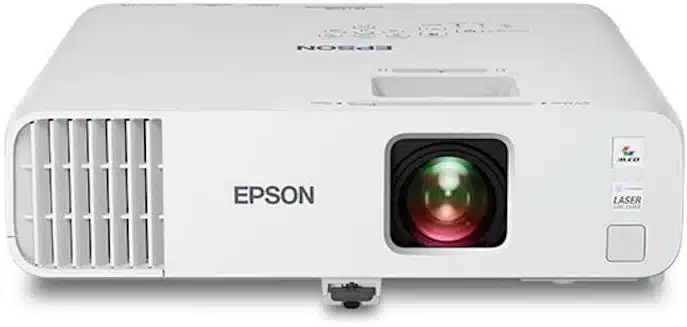
The Epson PowerLite L210W is a practical laser projector for businesses that conduct regular employee training.
Key Specifications
- Model: V11HA70020
- Native resolution: 1280 × 800 (WXGA), 3LCD
- Brightness: 4,500 lumens color and white; Epson IDMS / ISO measurement basis
- Light source: Laser; rated 20,000 hours
- Optical zoom: 1.6×
- Connections: Two HDMI inputs, built-in wireless, Miracast and network management
- Audio: Built-in 16W speaker
This business projector is best for
Its 4,500-lumen output and WXGA resolution are suitable for onboarding slides, large diagrams and instructional videos. Built-in wireless connectivity and HDMI inputs accommodate different trainers.
Why we recommend it
Its laser source is rated for 20,000 hours, reducing routine lamp maintenance across repeated sessions. For finance teams displaying dense spreadsheets or engineering drawings, choose a higher-resolution WUXGA or Full HD projector.
- No replacement lamps
- Wireless casting and fleet tools
- Less fine detail than Full HD
- Not the first choice for dense spreadsheets
10. BenQ MW632ST — Compact training spaces with basic slide content
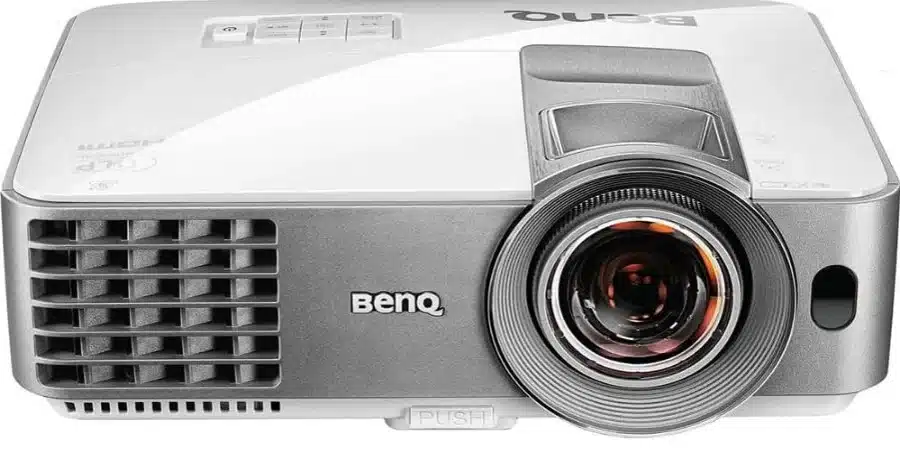
The BenQ MW632ST is a useful budget short-throw projector for compact employee training spaces.
Key Specifications
- Native resolution: 1280 × 800 (WXGA)
- Brightness: 3,200 ANSI lumens
- Light source: Lamp
- Lamp ratings: 4,000-hour Normal / up to 10,000-hour LampSave
- Throw ratio: 0.72–0.87:1; 1.2× optical zoom
- Connections: Two HDMI inputs; VGA; 10W speaker
This business projector is best for
Its throw ratio of 0.72–0.87:1 allows a 100-inch 16:10 image from roughly 1.6–1.9 metres. That is particularly useful in a small room where a conventional projector would sit behind the audience.
Why we recommend it
Its WXGA resolution is sufficient for large text and basic instructional slides. Two HDMI inputs and a 10W speaker support ordinary presentations. For frequent use, account for replacement lamps; for detailed drawings or reports, choose Full HD.
- Short throw with optical zoom
- Dual HDMI inputs
- WXGA detail limit
- Lamp replacement required
Frequently Asked Questions
Which projector is suitable for bright rooms and sharp text?
Start with the L530U for a fixed boardroom and the EX11000 for presentations between locations. Brightness, native resolution, image size and room lighting all affect readability. Make spreadsheet text large enough for the back row; a higher lumen rating cannot compensate for tiny text or direct light on the screen.
Can I use these projectors for 24/7 digital signage?
A long laser-life rating does not establish approval for continuous 24/7 operation. Continuous signage requires a manufacturer-supported operating schedule, mounting orientation, ventilation plan and warranty coverage for that use. For continuous signage, choose a projector rated for 24/7 operation.
Is a laser projector better than a lamp projector for business?
Laser models avoid routine lamp replacement and can suit frequently used rooms, while a lamp-based projector may still be cost-effective for occasional presentations. Compare maintenance needs and long-term costs.
Is WUXGA better than 1080p for presentations?
WUXGA provides 1920 × 1200 pixels versus 1920 × 1080 for Full HD, giving extra vertical workspace for spreadsheets and technical slides when the screen and source support that format.
How far should a projector be from the screen?
Multiply the desired image width by the projector’s throw ratio. Zoom lenses may allow a range of distances; use the installation chart to determine placement.
How to Choose a Business Projector
Choose the projector around the actual presentation environment. A boardroom displaying detailed financial spreadsheets has different requirements from a small training room showing large slide titles. Screen dimensions, ambient light, and the distance available between the lens and screen should determine the shortlist before extra features or price.
Brightness and Office Lighting
Brightness is typically quoted in lumens, but compare measurements carefully: ANSI or ISO white-light figures and color-light-output figures are not interchangeable. More light can help in an illuminated room, but ambient light still reduces perceived contrast. A larger projected image also spreads available light over more area. Use the manufacturer’s brightness specifications alongside screen size, lighting control, and installation geometry rather than relying on a single lumen threshold.
Resolution for Spreadsheets and Slides
Native Full HD (1920 × 1080) is a practical baseline for conventional presentations. WUXGA (1920 × 1200) adds vertical working space that can help with spreadsheets and dense business interfaces. WXGA (1280 × 800) can still work for basic training slides, but fine text and detailed tables may be harder to read. A projector accepting a 4K input is not necessarily a native 4K projector.
Throw Distance, Zoom, and Installation
Throw ratio is the distance from the projector lens to the screen divided by image width. Short-throw models create a larger image from closer to the screen; conventional-throw models need more depth. Optical zoom and lens shift offer installation flexibility, while heavy digital keystone correction can sacrifice image detail. Use the calculator above to estimate fit.
Wireless and Wired Connectivity
HDMI remains the simplest option for visiting presenters. For wireless meetings, connection options include Miracast, AirPlay, and optional wireless adapters are not equivalent. IT-managed offices may also need RJ45 or RS-232 control. Some wireless connection methods require accessories.
Laser vs. Lamp Projectors: Long-Term Costs
Compare total ownership cost rather than purchase price alone. A lamp-based projector may cost less initially but can require replacement lamps and maintenance during its useful life. Laser and LED models generally avoid routine lamp replacement, though their rated light-source hours are not guarantees of failure-free operation. For frequently used meeting rooms, estimate expected operating hours, consumables, servicing, energy use, and warranty coverage before selecting a model.
Example: At 20 hours of use each week, a projector operates about 1,040 hours per year, or 5,200 hours over five years. Compare that expected use with each manufacturer’s rated light-source life and replacement-lamp interval. Do not treat the rated light-source life as a fixed replacement deadline.
Additional Buying Considerations
Include the screen, mounting hardware, cables, installation and applicable local taxes when comparing total cost. Lower-priced projectors may require compromises in brightness, resolution or placement flexibility.
For portable use, consider weight, carrying protection, power requirements and easy wired connections. Home-theater models may prioritize cinematic viewing over readable text in well-lit offices. Check warranty and power compatibility when purchasing internationally.