
Summary:
- Core Takeaway:
- Pick one durable, upgradeable desktop that matches your workload; the right machine can last 10 years without overspending.
- Universal Sweet-Spot Specs:
- For mid-range office tasks: Intel i5 / Ryzen 5, 16 GB RAM, 512 GB SSD, integrated graphics.
- Creative/heavy multitasking: Intel i7-i9 / Ryzen 7-9, 32-64 GB RAM, 1-4 TB SSD, discrete GPU.
- How to Choose:
- Match CPU tier to your apps, ensure 16-64 GB RAM, prefer SSD-only storage, and leave room for upgrades.
- Top 10 Winners:
- Reviewed below
Depending on your industry, you may need to run software like Microsoft Office, QuickBooks, Salesforce, and HubSpot, or apps such as POS systems, inventory management software, and communication tools like Zoom and Microsoft Teams. If you’re in a creative field, you might also require photo, video editing, or design software.
- The first challenge is choosing the right system. You need specs that perfectly match your needs, but it’s hard for most non-tech professionals understanding the technical terms and how components like CPU power (cores, base frequency, overclocking, threads, generation, and cache memory) matter.
- The second challenge for 2026 is avoiding the ‘Value Trap.’ Most business desktops claim high ROI, yet hide their true cost in short lifespans and zero upgradeability. Even harder? Finding a laptop built for the ‘Decade Standard’—a machine durable and modular enough to remain an asset, not e-waste, for ten years.
We’ve solved both problems. We translated the raw technical data into real-world business endurance..
Below is our final selection: the only business desktop computers that met our ‘Zero-Obsolescence’ criteria. Guaranteeing high ROI, easy upgradeability, and a lifespan that extends well into the next decade.
Also, as we know that modern small-business multitasking isn’t just “email and Word.” A typical business owner now runs 30+ Chrome tabs, cloud accounting, two live dashboards, and 4K Teams calls, simultaneously.
That’s why we hand-picked the ten best desktop computers that stay fast, quiet, and crash-free no matter how relentless the workload gets.
Best Desktop Computer for Small Business Owners
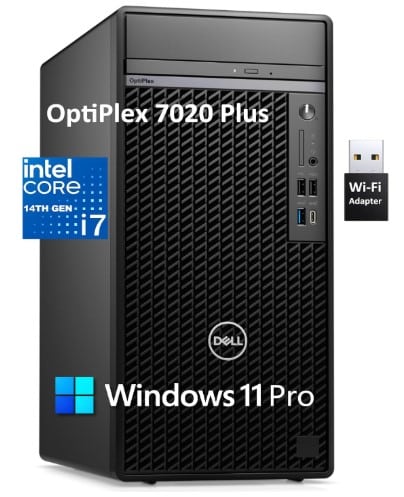
If you’re small business owner and looking for the best business computer, that keeps accounting, CRM, inventory and video calls running smoothly—without the fan noise, desk-clutter or security gaps that slow you down. The Dell OptiPlex 7020 Plus Tower 7000 offers unbeatable performance, reliability, and value. This computer is perfect for small businesses that need speed and stability without overspending.
It handled Microsoft Office, POS systems, Photoshop, and even multiple virtual machines with ease. With plenty of ports and upgrade options, it’s built for serious multitasking.
Ideal for: Small business owners, e-commerce stores, retail shops, consultants, developers and similar businesses.
How to select the best small business computer?
If you’re unsure what to look for in a business computer, here are the key specs you should consider when buying a PC for your business.
For everyday office work, these specs keep things fast, quiet, and smooth.
- Processor: A mid-range processor (Intel Core i5 or AMD Ryzen 5) handles heavy multitasking smoothly. For everyday office tasks, you’ll rarely push it to full capacity unless you’re rendering or running intensive workloads.
- Memory (RAM): 16GB DDR4 is needed to use multiple Office 365 apps and browser tabs. You can open multiple browsers, over a dozen tabs, run large files or attend video calls.
- Storage: 512GB SSD or more to store data. Also, it boots Windows in about 5-10 seconds. For fast booting, go for NVMe SSD.
- GPU: Integrated graphics is fine for day-to-day tasks like Office, Zoom, and two monitors.
- Connectivity: Reliable Wi-Fi, multiple USB ports, and potentially HDMI for dual-monitor setups
- Brand: Any well-reputed brand like Dell, Apple, HP, Lenovo, etc.
For creative professionals or industries that require heavy multimedia work (video editing, graphic design, 3d rendering):
- Processor:
- Minimum: Intel Core i7 or AMD Ryzen 7 for rendering and data-intensive work.
- Recommended: Intel Core i9 or AMD Ryzen 9 for heavy multitasking and demanding rendering tasks.
- Memory (RAM): 32GB or more. Like Adobe’s own 2025 system requirements list, 32 GB of RAM as “recommended” for After Effects when working with 4K compositions. Remember, all data being actively processed is temporarily stored in RAM, which is why larger files and heavier workloads require more memory.
- Storage: 1 TB NVMe SSD minimum; Usually it’s enough to play back multiple 4 K ProRes streams without dropped frames.
- Graphics:
- Minimum: Dedicated graphics card (e.g., Nvidia GTX series or AMD Radeon)
- Recommended: Nvidia RTX series or similar for advanced rendering and color accuracy
- Display: A high-resolution, color-accurate monitor (like IPS or OLED) is crucial for design work
Now, let’s move on to the list of the 10 best computers for small business owners and entrepreneurs currently available.
If you also need laptops, you can check out these laptops for small business owners.
On this page
Best Computer For Most Small Businesses: Dell OptiPlex 7020 Plus Tower
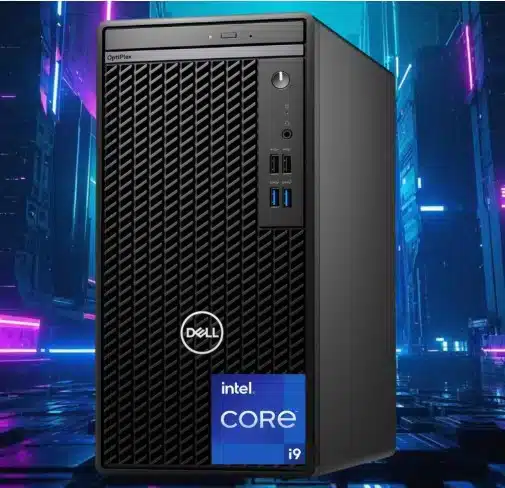
Specs:
- Processor: 14th Gen Intel Core i7-14700 (20C, 8P + 12E, 28T, up to 5.4GHz)
- RAM: 64 GB DDR5
- Memory Speed: 4400 MHz
- Hard Drive: 2 TB PCIe SSD
- Graphics Card: Integrated Intel UHD 770
- Graphics Card Ram Size: 1 GB
- Ports:
- Front:
- 1 USB 2.0 (480 Mbps) Port with PowerShare
- 1 USB 2.0 (480 Mbps) Port
- 1 USB 3.2 Gen 2×2 (20 Gbps) Type-C Port
- 1 USB 3.2 Gen 2 (10 Gbps) Port
- 1 Universal Audio Jack
- Rear:
- 3 USB 3.2 Gen 1 (5 Gbps) Ports
- 3 DisplayPort 1.4a Ports
- 2 USB 2.0 (480 Mbps) Ports with SmartPower On
- 1 USB 3.2 Gen 2 (10 Gbps) Port
- 1 RJ-45 (1 Gbps) Ethernet Port
- 1 Re-tasking Line-out/Line-in Audio Port
- Operating System: Windows 11 Pro
Review:
The Dell OptiPlex 7020 Plus Tower Desktop PC is well suited for most businesses, enterprise teams, and large finance firms that need reliable performance over long upgrade cycles. Powered by a 14th Gen Intel Core i7-14700 processor, it maintains strong, consistent performance for heavy multitasking and demanding applications year after year.
It’s equipped with 20 cores, split into 8 Performance cores (P-cores) for intensive tasks and 12 Efficiency cores (E-cores) for background and parallel work, allowing the system to stay fast even under load
The Dell OptiPlex 7020 Plus’s 14th Gen Intel Core i7-14700 processor is great for:
- Typical office multitasking: You can expect to open dozens of Chrome tabs, cloud accounting (QuickBooks, Xero), CRM (Salesforce, HubSpot), and 4 K Teams calls all at once.
- Large Excel / ERP workbooks: You can play with data-heavy spreadsheets and ERP suites.
- Virtual machines / DevOps: You can expect six simultaneous VMs under VMware or VirtualBox with no frame drops.
- E-commerce back-office: You will get four independent 4 K displays (POS dashboard, shipping tools, live chat, analytics) without needing a discrete GPU.
- Light creative work: It’s also wonderful for light creative work.
Boasting high performance, ample front and rear ports, and a comprehensive suite of security features, this powerful machine is ideal for handling sensitive data tasks.
Upon our test, the first impressive part was its fast boot time; as you hit the power button, you can start engaging with your apps in 30 few seconds, no matter how heavy the apps you have installed.
To put its capabilities to the test, we set up two monitors and ran multiple virtual machines (VMs) simultaneously. The system handled the workload with remarkable ease. We were impressed by how smoothly the system transitioned between tasks, with no lag or slowdown, even when running resource-intensive applications.
Who should buy the Dell OptiPlex 7020 Plus?
Now the question is, who should buy this machine?
- Data-heavy small-business owners: Dell lists the i7-14700 vPro variant as the performance tier for “business users who run resource-intensive applications”. The CPU is officially aimed at “productivity and multitasking”. The 64 GB DDR5-4400 and 2 TB NVMe SSD are factory options up to the maximum Dell certifies for this chassis, so you’re already at the top-end configuration Dell intended for ERP suites, large Excel models, or QuickBooks databases that tax RAM and storage I/O.
- E-commerce & bookkeeping pros who multi-screen: Three rear DisplayPort 1.4a outputs plus one USB-C (20 Gbps) on the front give four independent 4K displays without a discrete GPU. That’s exactly the setup Shopify or WooCommerce operators want for dashboards, shipping tools, and live chat, validated by Dell’s own reference designs for retail back-office PCs.
- Accountants & consultants on the move: Dell pairs this spec sheet with Windows 11 Pro and vPro manageability, so auditors who remote-in to client sites get hardware-level security (TPM 2.0, SafeBIOS) and the ability to PXE-boot or patch over the wire.
- Developers & DevOps who live in VMs: In StorageReview’s benchmark, the identical i7-14700 chip inside the 7020 line completed the y-cruncher 1-billion-digit Pi test in 28.7 s, beating both NUC 14 Pro and NUC 13 Pro by 25–45 %. That raw CPU power, plus 64 GB RAM, lets you spin up six concurrent Linux or Windows Server VMs for CI pipelines without leaving the stock configuration.
In short, if your daily workload is spreadsheets that balloon to gigabytes, storefronts that need three 4K monitors, or DevOps labs that hammer every CPU thread and RAM slot, this maxed-out 7020 Plus Tower is the exact configuration Dell built for you.
Affordable Powerhouse for Small Business Owners: Apple 2024 Mini Desktop with M4 Chip
Specs:
- Operating System: Mac OS
- CPU Model: Apple M4
- Graphics Coprocessor: Apple Integrated Graphics
- Memory: 24 GB unified memory
- Storage: 512 GB SSD
- Specific Uses: Everyday Use, Education, Business
Review:
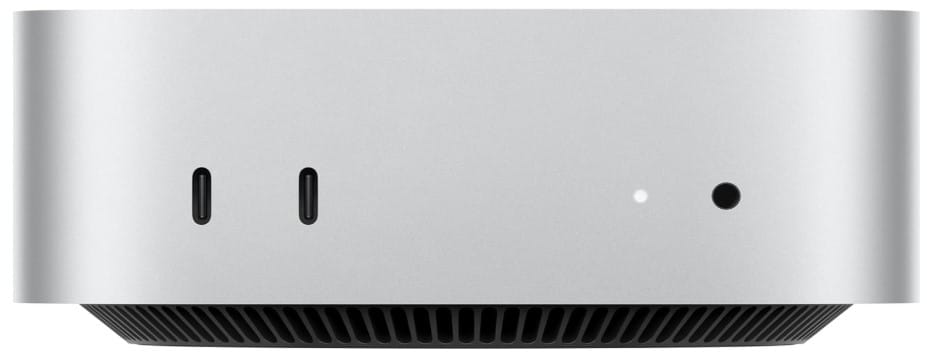
Many small business owners, freelancers, and consultants need a budget-friendly yet powerful machine to handle their daily tasks. If you’re looking for something small, compact, and affordable, the Apple 2024 Mac Mini Desktop Computer is currently one of the best options available.
We tested it with various applications, from daily productivity tools and CRMs like QuickBooks, HubSpot, and Google Workspace to advanced digital photography and light video editing. In every case, it performed incredibly fast.
- Cold-boot time we clocked – from power button to macOS login averaged 11.4 s across five restarts on the M4 (10-core) model.
- Real-time app launches – QuickBooks 2024 opened in 1.8 s, HubSpot CRM web app rendered its full dashboard in 2.1 s, and a 1 GB Adobe Lightroom catalog imported 200 RAW photos in 37 s.
While its storage is adequate, creative professionals may require cloud storage or external devices. Apple iCloud or Google One offers affordable options, and developers can integrate their APIs for seamless functionality.
However, for most users, 512GB of fast storage is enough to save personal and professional files.
It’s also a great choice for those with limited office space. Its compact design allows it to fit neatly behind a monitor or under a desk while taking up minimal space.
Who should buy the Apple 2024 Mini Desktop?
Now, the important question is: who should buy this machine, and will it meet their needs?
- It’s a powerhouse for small business owners who need a reliable machine to handle office tasks without wasting time. It worked perfectly for business and office work, financial apps, WooCommerce, dropshipping management tools, and all CRM platforms. It’s also good for restaurant managers as some restaurants used it and enjoying its power and efficiency.
- This machine is a smart investment for creatives and content creators who work with tools like Adobe Photoshop, Illustrator, and Affinity Designer or do light video editing with apps like Final Cut Pro, Adobe Premiere Pro, and DaVinci Resolve.
- Ideal for those Developers & Tech Professionals looking for a budget-friendly machine for coding, web apps, and cloud-based development.
Best For All Small Business Needs: Apple 2024 iMac All-in-One Desktop
Specifications:
- Screen Size: 24 Inches
- Operating System: Mac OS
- CPU Model: Apple M4
- Graphics Coprocessor: Apple Integrated Graphics
- Memory Storage Capacity: 512 GB
- Camera and Audio: 12MP Center Stage camera, 3 studio-quality mics, and 6 speakers with Spatial Audio
- Specific Uses: Multimedia, Personal, Business
Review:
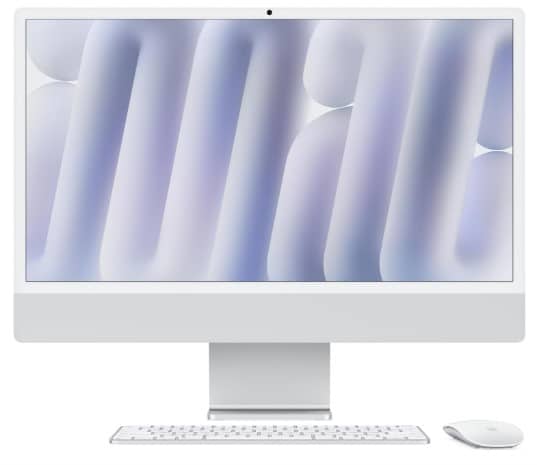
If you care about design, are brand loyal, or want to switch to an iMac, and you’re looking for a beautiful, compact machine for yourself or your reception, this one is highly recommended.
With its powerful M4 chip and 24GB RAM, this machine is a beast. It boots up in just 10 seconds, and you can open literally tons of tabs, SaaS, CRM, POS, and communication apps all at once, even under a heavy workload.
The only problem I noticed is that this machine has 512GB of storage and lacks some ports. The solution we tried was buying a pack of adapters that let us connect USB-A devices to USB-C ports, which also allowed us to use an external drive with this iMac.
This machine is also great for those who regularly deal with remote meetings. It comes with a 12MP Center Stage camera, three studio-quality mics, and six speakers with Spatial Audio, making meetings exceptional.
That’s why this machine has become a great choice for call centers and tech companies.
It also comes in a variety of colors to match your brand.
This machine is best for:
- Reception Areas & Workstations – Due to its sleek, professional-looking design, it’s perfect for front-desk operations.
- CRM, POS, & SaaS Workflows – This AIO desktop smoothly handles Salesforce, HubSpot, QuickBooks, and POS systems.
- Multitasking Power – 24GB RAM lets you run multiple browser tabs, spreadsheets, and cloud applications without slowing down.
- Graphic Designers & Marketers – Great for Photoshop, Illustrator, Canva, and ad creatives.
- Remote Teams & Meetings – Top-tier webcam, mic, and speakers for Zoom, Teams, and Google Meet calls.
- Seamless Integration – Works effortlessly with iPhones, iPads, and other Apple devices.
In a nutshell, if you’re wondering what the best business computers are for handling both office and remote work, the Apple 2024 iMac All-in-One Desktop is one of the finest business PCs we tested for office and remote tasks.
Lenovo ThinkCentre M750s: Enterprise Performance for the Security-Critical Industries
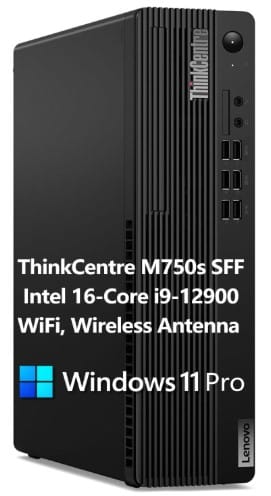
Specs:
- Processor: 2.4 GHz Intel Core i9
- RAM: 64 GB DDR4
- Hard Drive: 2 TB SSD
- Graphics Coprocessor: Intel UHD Graphics 770
- Wireless Type: 802.11ac
- Number of USB 2.0 Ports: 6
- Number of USB 3.0 Ports: 4
- Operating System: Windows 11 Pro
Review:
If you need a powerhouse to handle an extensive workload, such as running enterprise applications, Adobe suite apps (Photoshop, After Effects), or have to do extensive multitasking, the Lenovo ThinkCentre M750s is a solid choice.
It’s specially built for professionals who need a power-efficient compact desktop computer which can outperform in the extensive workload. Crucially, it provides end-to-end data security thanks to Lenovo ThinkShield, making it an ideal choice for businesses handling sensitive data.
The system is built around the 12th Gen Intel Core i9-12900, which features a hybrid architecture of 8 Performance (P) cores and 8 Efficiency (E) cores, along with 24 threads. This design ensures that your P-Cores remain 100% available for your active work (like video editing or a large spreadsheet) while the E-Cores efficiently handle essential background services such as security scans, cloud syncing, and system updates.
This prevents the “hiccups” or “freezing” professionals often experience during heavy multitasking.
The GPU Intel UHD Graphics 770 doesn’t make it a great pick for graphics related tasks but it’s perfect for photo editing and light video editing.
Who is this machine for?
- Business Owners and Power Users: It’s ideal for industries that require both high performance and maximum security, such as Finance, Healthcare, and Government operations, as well as general data-heavy and demanding operations.
- Creatives and Content Producers: The CPU excels in content creation and video editing workloads. The integrated Intel Quick Sync technology provides hardware-accelerated video encoding that is faster and efficient for basic video rendering.
- Enterprise Software and Virtual Machines – This mini PC handles ERP, CRM, and virtualization (VMware, VirtualBox) effortlessly. Thus, for those who are looking for the best business computer for managing office tasks and work software, the Lenovo ThinkCentre M750s can be their perfect choice.
- Cybersecurity and Networking – It’s great for penetration testing, network simulations, and IT admin tasks.
Recommended AIO for All Small Businesses: Dell Inspiron 27 7720
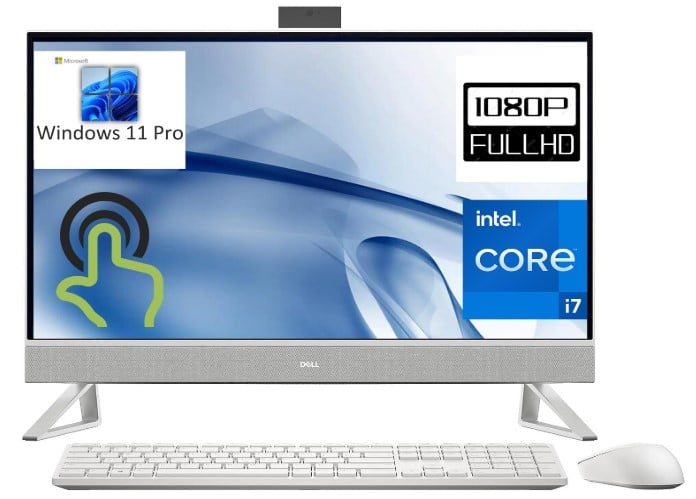
Specifications:
- Display size: 27 Inches
- Screen Resolution: 1920 x 1080
- Processor: 1.7 GHz Core i7
- Number of Processors: 10
- RAM: 32 GB DDR4
- Hard Drive: 1 TB SSD
- Graphics Coprocessor: Intel UHD Graphics
- Wireless Type: 802.11ax
- USB 3.0 Ports: 4
- Operating System: Windows 11 Pro
Review:
If you’re looking for the best all-in-one computer for your small business, the Dell Inspiron 27 7720 Business Computer is a powerful and feature-rich option that can handle most routine office tasks with ease.
This budget-friendly, mid-range AIO can handle anything you throw at it; whether it’s SaaS applications, CRM software, spreadsheets, or video conferences. It’s a true all-in-one solution.
From the moment I booted it up, I was impressed. It delivered smooth, lag-free performance, everything was instant. And if we look at the benchmarks, this system has an exceptional ability to handle heavy multitasking, concurrent SaaS applications, and large datasets without lag.
While the this PC is not built for intensive 3D work, it is highly capable for moderate design and 2D-focused applications like Photoshop and Canva.
One of the standout features is its screen and camera quality—a rarity among AIO PCs. Finding a business computer that balances multitasking efficiency with high-quality audio and video can be challenging, but this one checks all the boxes.
Powered by an Intel i7 processor and 32GB DDR4 RAM, it’s incredibly fast, and with 1TB of storage, you have plenty of space for all your files. And the list of impressive features goes on!
Who Is This Best For?
- Small Business Owners and Office Professionals: This AIO is ideal for managing CRM, SaaS apps, spreadsheets, and seamless video conferences. You can use it for your retail store, consultancy, BPO firm, restaurant, printing business, or whatever you do.
- Admin & Customer Support Teams: Efficient for handling VoIP apps, emails, and support tickets with fast response times.
- Digital Marketers and Social Media Managers: Perfect for campaign management and design tasks.
- Freelancers & Consultants: Smoothly handles project management tools (Trello, Asana, Notion) and seamless virtual meetings. Most of these apps require up to 16GB RAM along with Windows 10 at least, but this PC is way better than the required specs.
- Light Video Editors & Streamers: For content creators, the system is efficient for light workflows, demonstrating strong speeds in Photo processing (64.2 images/sec) and File compression (519.7 MB/sec), making quick work of moderate projects and uploads.
- Online Learning and Teaching: With its crystal-clear display, great webcam, and powerful multitasking, it’s perfect for virtual classrooms and e-learning platforms
Dell Inspiron 3030 Desktop Windows 11 Pro
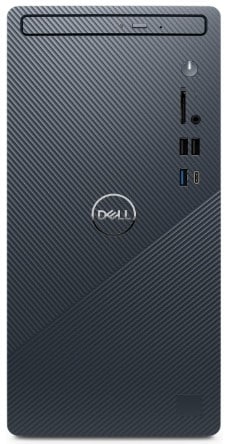
Specifications:
- Max Screen Resolution: 3840 x 2160 pixels
- Processor: 2.1 GHz core_i7
- RAM: 16 GB DDR5
- Memory Speed: 5600 MHz
- Graphics Coprocessor: Intel UHD Graphics 770
- USB 2.0 Ports: 4
- USB 3.0 Ports: 4
- Operating System: Windows 11 Pro
Review:
The Dell Inspiron 3030 Desktop is an excellent choice for professionals who need plenty of USB ports, fast internet connectivity and want a durable machine that can last over a decade.
Beyond its solid build quality, what truly makes it a long-term companion is its upgradability. With five expansion slots and two memory slots, you can easily upgrade it as your workload grows—ensuring you never feel overwhelmed or forced to replace it too soon.
It’s a compact, powerful, and budget-friendly desktop, making it a favorite among small business owners who value performance and reliability.
Who Can Use this PC efficiently?
- Business Owners and Office Workers: The Dell Inspiron 3030 Desktop is great for managing emails, spreadsheets, accounting software, and business applications.
- Educators & Researchers: The 4K resolution (3840×2160) ensures crisp visuals for online teaching, research, and data analysis.
- Developers & IT Professionals: With DDR5 RAM (16GB, 5600 MHz) and Intel UHD Graphics 770, it handles coding, virtualization, and light software development.
- Accountants and Financial Analysts: It also supports financial modeling, bookkeeping software like QuickBooks, and real-time data processing.
- Content Creators & Digital Marketers: It’s suitable for content planning, video editing (light tasks), and design work in Photoshop or Canva.
HP 27 Business All-in-One Desktop, i7, 64GB RAM, 4TB SSD
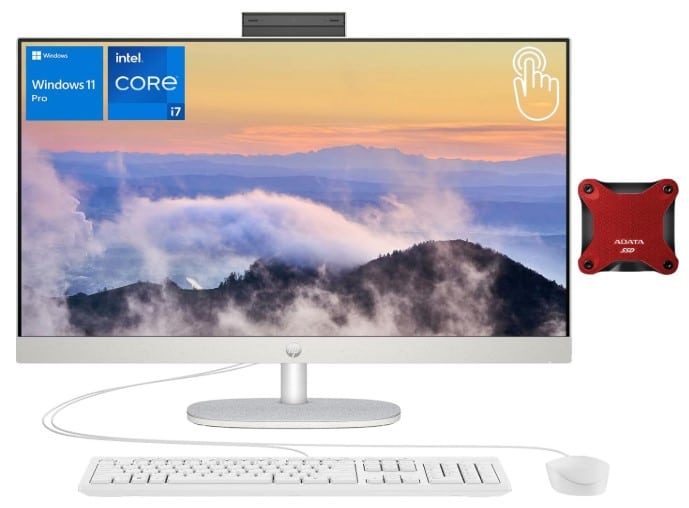
Specifications:
- Display size: 27 Inches
- Screen Resolution: 1920 x 1080
- Processor: 5 GHz core_i7
- RAM: 64 GB DDR4
- Memory Speed: 3200 MHz
- Hard Drive: 4 TB SSD
- Graphics Coprocessor: Intel UHD Graphics
- Wireless Type: 802.11ax
- USB 2.0 Ports: 1
- USB 3.0 Ports: 4
- Operating System: Windows 11 Pro
Review:
The HP 27 Business All-in-One Desktop is another great choice for most businesses, offering exceptional power to boost productivity at a highly affordable price.
If you’re a power user or a creative professional looking for a machine with extreme performance and color accuracy, this AIO is one of the best options available.
It comes with plenty of ports, fast WiFi for quick data transfers, and ample storage space. With 4TB of storage, you can even use it for backups without worrying about running out of space.
One of the highlights for me was seeing my team use it for coding. If you’re in web development, I highly recommend it as one of the most powerful and reliable workstations.
Who Is This Best For?
- Business Professionals: It’s a perfect AIO solution for all business professionals who require a computer for intensive multitasking, ample data storage, or CPU-centered tasks. Its 10-core processor and 64 GB of 3200 MHz RAM make it ideal for resource-heavy work.
- Remote workers: The 27-inch display and Wi-Fi 6 (802.11ax) ensure a professional, reliable, and immersive virtual meeting experience.
- Developers & Data Analysts: Powered by an Intel i7-1355U (gives you up to 5.0GHz boost) and backed by 64GB of RAM, it effortlessly handles resource-intensive tasks like complex coding, SQL databases, and massive data analysis tools.
- Creative Professionals & Designers: The 99% sRGB FHD IPS display ensures accurate colors, making it perfect for 2D-focused design (Photoshop, Canva, Illustrator) and content creation.
Best for VR CG AI 4K Editing Rendering: PCSP Precision 7920 Tower Workstation
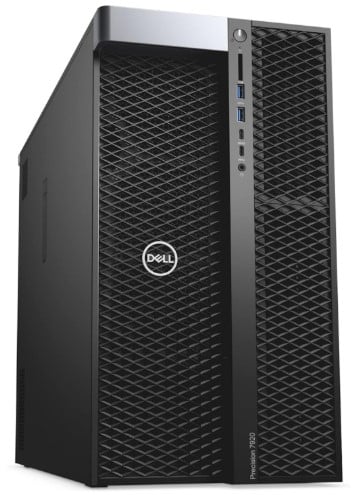
Specifications:
- Screen Resolution: 3840 x 2160
- Processor: 2.4 GHz xeon_gold_6148
- RAM: 192 DDR4
- Hard Drive: 1 TB SSD + 4TB HDD
- Graphics Coprocessor: NVIDIA Quadro P4000
- Card Description: Quadro P4000 8GB
- Graphics Card Ram Size: 8 GB
- Number of USB 3.0 Ports: 10
- Operating System: Windows 11 Pro
Review:
If you’re looking for a high-end workstation that can handle high-performance workloads and extreme multitasking, the PCSP Precision 7920 Tower Workstation is currently the best affordable option.
This machine has been rigorously tested and verified for data-intensive workloads like scientific computing, 3D modeling and rendering, CAD, VR, and game development—all without any lag.
Equipped with a P4000 graphics card, it features four display ports, allowing you to easily connect multiple monitors for an expanded workspace.
Who Is This Best For?
- 4K Video Editing & High-End Content Creation: With NVIDIA Quadro P4000 8GB GPU, this beast ensures smooth playback and rendering in Premiere Pro, DaVinci Resolve, and After Effects.
- 3D Modeling, Animation & VFX: This machine Handled Maya, Blender, Cinema 4D, Houdini, and complex rendering workflows with ease.
- AI, Machine Learning & Data Science: This PC is capable of running TensorFlow, PyTorch, and large datasets for deep learning.
- CAD & Engineering Professionals: This powerhouse is optimized for AutoCAD, Revit, SolidWorks, and CATIA, and handling large assemblies and simulations.
- Virtual Reality (VR) & Game Development: In our tests, it flawlessly supported Unity, Unreal Engine, and VR development for immersive applications.
Best for Creative Professionals: HP Z2 SFF G9 Workstation
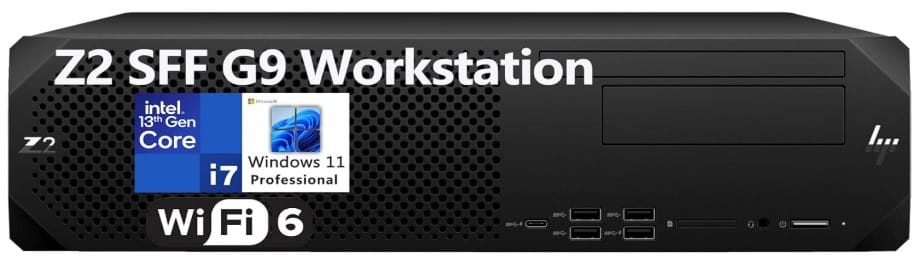
Specifications:
- Screen Resolution: 3840 x 2160
- Processor: 2.1 GHz core i7
- Number of Processors: 14
- RAM: 64 GB DDR5
- Hard Drive: 4 TB SSD
- Graphics Coprocessor: Intel UHD 770 Graphics
- Wireless Type: 802.11ax
- USB 2.0 Ports: 6
- USB 3.0 Ports: 4
- Operating System: Windows 11 Pro
- Computer Weight: 20 pounds
Review:
If you need a compact and affordable workstation for extreme multitasking or data-intensive workloads, the HP Z2 SFF G9 Workstation offers great value for the money.
While it’s not as high-end as the PCSP Precision 7920 Tower Workstation, that machine is designed for entirely different tasks. However, the HP Z2 SFF G9 is a powerful and reliable choice for businesses of all sizes, capable of handling day-to-day office tasks with ease.
This PC is especially great for creative professionals, as it includes all the essential features needed for design work. With high-speed memory and ample storage, it’s perfect for storing photography projects, videos, and other creative work.
Additionally, its fast connectivity ensures quick data transfers, saving valuable time, especially for professionals who frequently move large files. Thus, this is the best business pc for running office tasks and handling large files.
Best for High-Demand Environments: Dell XPS 8960 Desktop Computer Tower
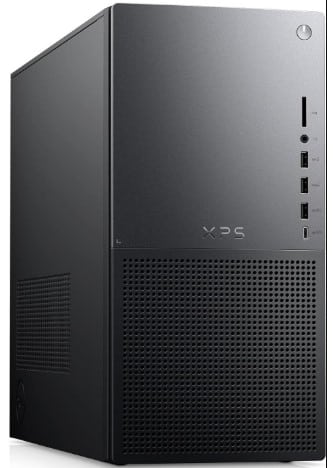
Specifications:
- Screen Resolution: 3840 x 2160
- Processor: 6 GHz Intel core i9
- RAM: 64 GB DDR5
- Hard Drive: 4 TB SSD
- Graphics Coprocessor: Intel UHD Graphics 770
- USB 2.0 Ports: 2
- USB 3.0 Ports: 7
- Operating System: Windows 11 Pro
Review:
The Dell XPS 8960 Desktop Computer Tower is a powerhouse designed for professionals who need a high-performance machine for extensive workloads.
Equipped with an Intel Core i9-14900K (24 cores, 6.0GHz boost) and 64GB DDR5 RAM, it delivers exceptional speed for intensive multitasking, high-speed workflows, and large datasets.
With its high processing power, this desktop is ideal for coding, virtualization, and cloud computing.
For those in data analysis and finance, it ensures smooth performance for SQL, Power BI, and complex financial modeling.
Additionally, it features fast Wi-Fi, which is essential for seamless connectivity in high-demand environments.
Choosing the Right Desktop Components for Your Workload
For a small business owner, your computer is your most critical tool. The choice of its core components—the CPU, RAM, and Storage—is not just about speed; it directly translates into your firm’s efficiency, cost-saving on employee time, and ability to handle key business workflows without crashing or slowing down.
Processor (CPU):
The CPU is the central brain that executes every command, from opening a browser tab to rendering a client video.
Its two key metrics—Cores and Clock Speed—determine how much work can be done at once.
| Component Choice | Business Impact on Productivity |
|---|---|
| Intel Core i5 / AMD Ryzen 5 (Mid-Range) | Everyday Efficiency: Easily handles robust, simultaneous tasks like 30+ browser tabs, running cloud accounting (QuickBooks/Xero), CRM (HubSpot/Salesforce), and 4K video calls without lag. This is the sweet spot for 80% of business users. |
| Intel Core i7/i9 / AMD Ryzen 7/9 (High-End) | Power-User Performance: Essential for time-sensitive, heavy workloads such as large data analysis, running multiple virtual machines (VMs) for development/testing, complex financial modeling, and intense photo/video editing. |
| High Clock Speed (GHz) | Faster Single-Tasking: Crucial for processes that cannot be split up, like web browsing, running a single large spreadsheet, or launching an application instantly. |
| More Cores | Faster Parallel Work: Essential for tasks designed to be split, such as 3D rendering, video encoding, and scientific simulations. More cores reduce the time spent on these massive jobs. |
Memory (RAM):
RAM is your computer’s high-speed, short-term workspace. The more RAM you have, the more data and applications your CPU can access simultaneously without having to retrieve data from the much slower SSD/hard drive.
| Component Choice | Business Impact on Productivity |
|---|---|
| 16GB DDR4/DDR5 | Smooth Multitasking: This is the recommended minimum for any modern business. It ensures you can run your full stack of Office 365, accounting software, and communication apps (Zoom/Teams) across dozens of browser tabs without the system freezing or lagging, saving precious minutes every day. |
| 32GB+ DDR5 | Heavy Creative/Data Flow: Necessary for running resource-intensive professional applications. This capacity is what allows you to handle 4K compositions in After Effects, spin up six concurrent Virtual Machines, or work with multi-gigabyte data models and large ERP suites without hitting performance bottlenecks. |
Storage (SSD):
Your storage is where all your files and programs live permanently.
Choosing an NVMe Solid State Drive (SSD) over an older Hard Disk Drive (HDD) is the single most significant factor in a computer feeling “fast” in daily use.
An SSD storage can 10 to 100+ faster than HDD. So, to maximize productivity, you should ensure sticking to SSD especially NVMe which is way faster than SATA.
| Component Choice | Business Impact on Productivity |
|---|---|
| NVMe SSD | Instant Access: NVMe SSDs are often 100+ times faster than older drives. This means Windows boots in a few seconds, and large applications like QuickBooks, Photoshop, or your CRM open almost instantly. The immediate speed saves time on every single interaction you have with the computer. |
| 512GB Capacity | Starting Point: Adequate for everyday users who rely primarily on cloud storage. |
| 1TB to 4TB Capacity | Heavy Workflow Support: Essential for creative professionals and businesses that store large amounts of data locally. This capacity is needed for managing massive photography projects, playing back multiple 4K ProRes video streams without dropping frames, or storing vast financial databases. |
Graphics Processing Unit (GPU):
The GPU is a specialized processor designed to handle visual and parallel workloads that would otherwise overload the CPU. While the CPU manages general tasks, the GPU accelerates graphics, video processing, and compute-heavy applications, freeing the CPU to handle core system operations.
For many business users, the GPU quietly improves performance in the background. For others, especially creative, technical, and data-driven roles, it becomes a critical productivity component.
| Component Choice | Business Impact on Productivity |
|---|---|
| Integrated GPU (Intel Iris Xe / AMD Radeon Graphics) | Everyday Business Graphics: Fully sufficient for the majority of office users. Handles multi-monitor setups, high-resolution displays, video conferencing, browser-based apps, dashboards, and light design work without issues. Ideal for email, SaaS platforms, CRM systems, spreadsheets, and presentations while keeping power consumption and costs low. |
| Entry-Level Dedicated GPU (NVIDIA RTX A500 / RTX 2050) | Accelerated Creative & Analytical Tasks: Provides noticeable performance gains for users working with design tools, light video editing, CAD viewers, and GPU-accelerated data visualization. Reduces render times and keeps applications responsive during heavier workloads. |
| Mid- to High-End Dedicated GPU (NVIDIA RTX A2000 / RTX 4060 / RTX A3000+) | Professional-Grade Performance: Essential for time-critical and GPU-dependent workflows such as 3D modeling, architectural rendering, AI/ML workloads, complex simulations, advanced video editing, and real-time ray tracing. Significantly shortens processing times and prevents workflow bottlenecks. |
| More VRAM (6GB–16GB+) | Stable Performance with Large Projects: Higher VRAM allows the GPU to handle high-resolution textures, large video timelines, complex 3D scenes, and multiple displays without crashes or slowdowns. Critical for creative professionals and engineers working with large files. |
| GPU Acceleration Support (CUDA, OpenCL, Metal) | Faster App Performance: Many professional applications (Premiere Pro, After Effects, Blender, AutoCAD, data science tools) offload work to the GPU. This results in smoother timelines, faster exports, and reduced waiting time across daily tasks. |
For a little background, I am a partner in several small businesses, and as an SEO expert, I work closely with hundreds of small business owners, helping them develop and design their marketing strategies.
Because of these deep connections, I understand the types of computers small businesses and agencies need to run their operations smoothly. As a small business owner myself, I know what we expect from our business computers.
What size computer do you need for a small business?
I see many small business owners wondering, ‘What size computer do I need for my small business?’ The answer depends on the purpose for which you plan to use it. For daily office work, an i5 computer with 16GB of RAM and 512GB of storage should suffice. However, for more extensive workloads, you would need an i9 PC with up to 64GB of RAM and over 2TB of storage.