
The best business printer is not necessarily the fastest or the cheapest to purchase. It is the one that handles your office’s real monthly workload, produces the documents you need, and keeps ink, toner, paper handling, and maintenance manageable over time. A bookkeeping office printing black-and-white invoices has different needs from a marketing team producing color handouts or an architecture firm printing large drawings.
We selected ten printers for distinct business workflows, from compact monochrome laser models to color multifunction and wide-format machines. Start with the type of documents you print, estimate your typical monthly page count, and consider whether staff need scanning, copying, two-sided document capture, or shared wired networking. Then compare the ongoing consumable costs rather than choosing on purchase price alone.
On this page
Quick Comparison: Our Top Picks
| Product | Best for | Standout advantage |
|---|---|---|
| Brother MFC-L8930CDW | Contract-heavy departments | 33 ppm; 80-page duplex-scanning ADF |
| Canon Color imageCLASS MF665Cdw | Small client-service offices | 26 ppm; single-pass duplex scanning |
| Brother MFC-L2820DW | Bookkeeping and administration | 34 ppm; 50-page single-sided ADF |
| Brother HL-L2460DW | Dispatch and text-only output | 36 ppm; print-only duplex laser |
| Epson EcoTank Pro ET-5850 | Frequent color handouts | 25 ISO ppm black/color; refillable tanks |
| HP OfficeJet Pro 9730 Wide Format | Wide spreadsheets and layouts | 11 × 17-inch printing; two paper trays |
| Brother MFC-J4355DW | Home-based consultants | 20/19 ppm; 20-sheet ADF |
| Brother MFC-L3780CDW | HR forms and color onboarding packs | 31 ppm; single-pass duplex scanning |
| Epson WorkForce Pro WF-7840 | Oversize proofs and tabloid originals | 13 × 19-inch print; 11 × 17-inch scan |
| HP OfficeJet Pro 9135e | Sales agreements and mixed stationery | 25/20 ISO ppm; two paper trays |
How to Choose for Your Workplace
| Professional need | Our recommendation |
|---|---|
| Mostly invoices and black-and-white contracts | Brother MFC-L2820DW or HL-L2460DW |
| High-volume color documents and duplex scanning | Brother MFC-L8930CDW |
| Small team with occasional color reports | Canon MF665Cdw |
| Frequent color pages and low ink cost | Epson EcoTank Pro ET-5850 |
| 11 x 17 inch drawings and spreadsheets | HP OfficeJet Pro 9730 |
Business Printer Cost Calculator
Estimate your printer’s three-year ownership cost without needing to know technical ink or toner prices. Select a printer type, enter its purchase price and estimate your monthly printing volume. The calculator uses illustrative printing-cost assumptions, not verified costs for a particular model.
Estimated 3-year cost:
Note: Costs are estimates based on illustrative printing expenses. Actual costs vary by printer model, ink or toner usage, and maintenance.
Product Reviews: What Each Option Does Best
1. Brother MFC-L8930CDW
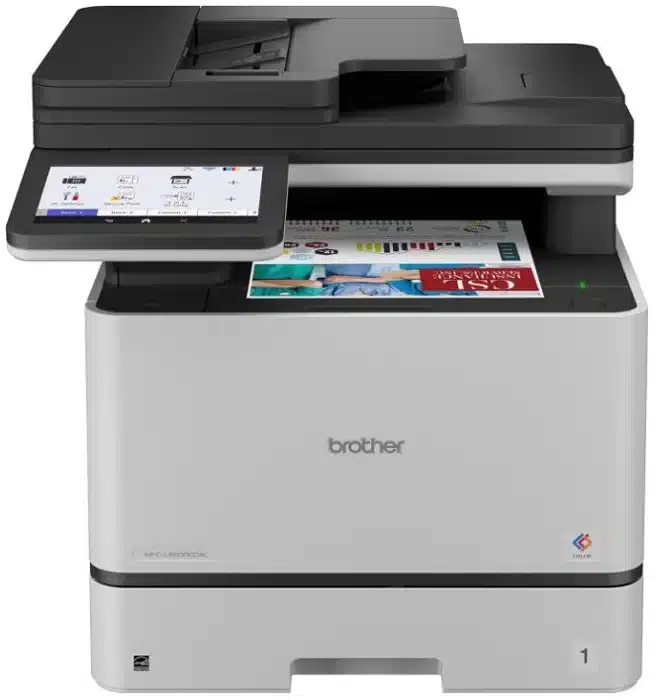
For a contract-heavy department, the Brother MFC-L8930CDW makes the strongest case when printing and scanning are shared tasks rather than occasional extras. Its 80-page automatic document feeder captures both sides of originals in one pass, helping teams archive signed agreements, supplier paperwork, and client files without repeatedly turning pages. Its recommended monthly volume of up to 6,500 pages also makes it a more appropriate choice for sustained departmental workloads than a small home-office printer. Budget for color toner and maintenance parts, not just the initial machine.
Key Specifications
- Color laser; print, copy, scan and fax
- Up to 33 ppm black/color; automatic duplex printing
- 80-page ADF with single-pass duplex scanning; legal-size glass
- 300-sheet standard input: 250-sheet tray plus 50-sheet multipurpose tray
- Gigabit Ethernet, dual-band Wi-Fi and USB; 7-inch touchscreen
- Recommended volume: up to 6,500 pages/month
This product is best for
Departments digitizing contracts and producing color proposals. The 80-page feeder handles longer document batches, while single-pass scanning reduces manual page handling.
Why we recommend it
A large touchscreen supports scan previews and shortcuts, and NFC badge authentication can fit managed office workflows. TN635XXL replacement toner offers higher yields than the supplied cartridges; toner, drum and belt costs still need budgeting.
- Large duplex-scanning feeder
- Wired networking and high-yield toner options
- Substantial shared-office footprint
- Four toner colors and separate maintenance components
2. Canon Color imageCLASS MF665Cdw
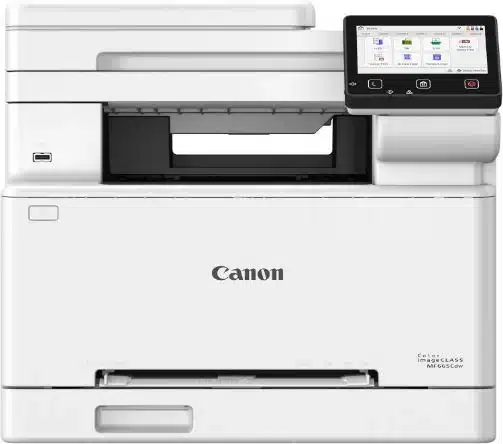
Small legal, consulting, and client-service offices often need professional color reports alongside scanned contracts and signed forms. The Canon Color imageCLASS MF665Cdw combines 26 ppm color-laser output with a 50-sheet single-pass duplex feeder, so staff can digitize two-sided paperwork without flipping each sheet. Ethernet and Wi-Fi make it suitable for a shared office. Its one-sheet manual feed is less convenient if your team frequently switches to envelopes or specialty media, and replacement color toner should be included in the ownership budget.
Key Specifications
- Color laser; print, copy, scan and fax
- Up to 26 ppm, Letter, black/color; automatic duplex printing
- 50-sheet single-pass duplex ADF
- 250-sheet cassette plus 1-sheet manual feed; up to Legal paper
- Gigabit Ethernet, Wi-Fi, Wi-Fi Direct and USB; 5-inch touchscreen
- Canon 075/075H toner cartridges
This product is best for
Small client-service firms scanning signed forms and printing branded reports. The duplex feeder handles both sides without manually turning each original.
Why we recommend it
Canon rates it at 26 ppm on Letter paper, making it a practical color-document hub for a modest team. The single-sheet manual feed is useful for an occasional envelope, but is less convenient for repeated specialty-paper jobs.
- Single-pass two-sided scanning
- Wired and wireless network connections
- Only one-sheet manual feed
- Four-color toner replacement costs
3. Brother MFC-L2820DW
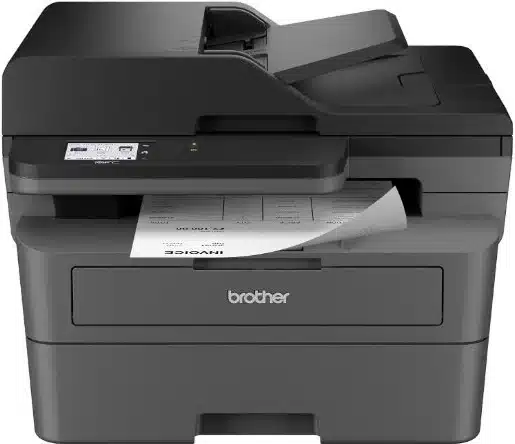
For bookkeeping, administration, and invoice-heavy work, monochrome printing is often more economical to manage than keeping four color toner cartridges on hand. The Brother MFC-L2820DW delivers up to 34 ppm, automatic two-sided printing, and a 50-page feeder for routine document batches. It also includes scanning, copying, and faxing, which makes it more versatile than a print-only laser. Its feeder does not automatically scan both sides, however, so teams regularly archiving two-sided contracts should choose a duplex-scanning alternative.
Key Specifications
- Monochrome laser; print, copy, scan and fax
- Up to 34 ppm manufacturer-rated; automatic duplex printing
- 50-page single-sided ADF; no automatic duplex scanning
- 250-sheet paper tray
- Dual-band Wi-Fi, Ethernet and USB; 2.7-inch touchscreen
- TN830/TN830XL toner; separate DR830 drum
This product is best for
Bookkeepers processing invoices and small administrative offices handling text documents. It adds batch scanning and fax to monochrome printing without requiring color toner.
Why we recommend it
Its 250-sheet tray and automatic duplex printing suit routine contracts and invoice runs. The feeder scans one side at a time, so frequent two-sided archive scanning is a better reason to choose a duplex-scanning model.
- Four office functions in one device
- Automatic two-sided printing
- No color printing
- Two-sided originals require manual handling
4. Brother HL-L2460DW
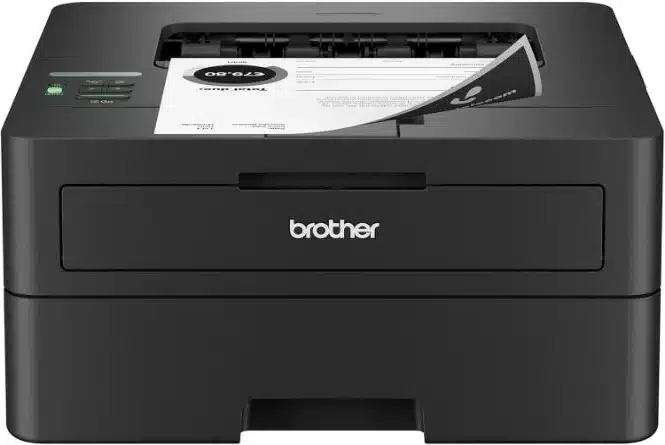
A dispatch desk or operations team that already has a scanner may get better value from a dedicated black-and-white printer. The Brother HL-L2460DW prints up to 36 pages per minute, supports automatic two-sided output, and connects through Ethernet or Wi-Fi. Its 250-sheet tray reduces frequent refills during shipping-label paperwork, packing slips, and routine reports. The recommended monthly volume of up to 2,500 pages is a more useful sizing guide than the maximum duty cycle. Do not choose it if your staff also need copying, scanning, or color output.
Key Specifications
- Monochrome laser; print only
- Up to 36 ppm; automatic duplex printing
- 250-sheet tray plus single-sheet manual feed
- Dual-band Wi-Fi, Ethernet and USB
- Recommended print volume: up to 2,500 pages/month
- TN830/TN830XL toner; separate drum
This product is best for
Dispatch desks printing shipping paperwork and departments with scanning handled elsewhere. Its print-only design avoids allocating desk space to an unused scanner.
Why we recommend it
The manual slot accommodates occasional envelopes. It has no scanner, copier or fax, and its recommended monthly volume should guide sizing rather than its much higher maximum duty-cycle figure.
- Compact print-only design
- Wired networking and duplex printing
- No scanning or copying
- Black-and-white output only
5. Epson EcoTank Pro ET-5850
The Epson EcoTank Pro ET-5850 is most compelling for businesses that produce color pages regularly rather than occasionally. Its refillable pigment-ink tanks change the cost equation compared with cartridge-based inkjets and color laser printers, especially for training materials, handouts, and recurring forms. Two 250-sheet trays plus a rear feed help manage different paper stocks, while duplex printing and scanning reduce manual work. The higher purchase price needs to be weighed against expected page volume and bottle replacement costs; infrequent printing also makes inkjet maintenance a consideration.
Key Specifications
- Refillable pigment-ink tank; print, copy, scan and fax
- Up to 25 ISO ppm black/color; automatic duplex printing
- 50-sheet ADF; automatic two-sided scanning
- Two 250-sheet front trays plus 50-sheet rear feed
- Wi-Fi, Ethernet, USB and Wi-Fi Direct; 4.3-inch touchscreen
- Recommended print volume: up to 3,300 pages/month
This product is best for
Training teams producing regular color handouts and offices with recurring color forms. Refillable bottles make consumable replacement a different proposition from replacing four toner cartridges.
Why we recommend it
It also supports duplex document processing and network-folder scanning. Allow for inkjet maintenance and use the specified pigment inks; a printer that sits unused for long periods is a less natural fit.
- Refillable tanks and substantial paper capacity
- Automatic duplex document workflow
- Higher initial equipment cost
- Inkjet maintenance during infrequent use
6. HP OfficeJet Pro 9730 Wide Format
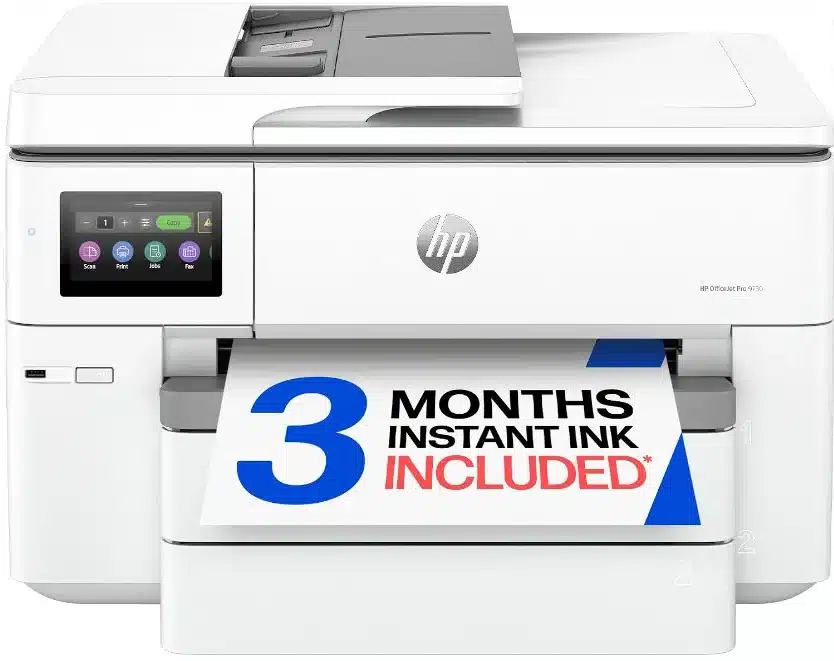
The HP OfficeJet Pro 9730 addresses a specific problem: ordinary Letter-size printers can make large spreadsheets, floor plans, and property layouts difficult to read. Its 11 × 17-inch output lets operations and real-estate teams keep more detail on one page, and two 250-sheet trays help separate paper sizes. The flatbed can scan tabloid originals, while its automatic feeder handles originals only up to Legal size. With a recommended volume of 250–1,500 pages monthly and cartridge-based ink, it is a better match for moderate wide-format office work than continuous high-volume production.
Key Specifications
- Color thermal inkjet; print, copy and scan
- Up to 22 ISO ppm black and 18 ISO ppm color
- Wide-format printing up to 11 × 17 inches/A3
- Two 250-sheet paper trays; automatic duplex printing
- 35-sheet single-pass duplex ADF, up to 8.5 × 14-inch originals
- Flatbed scans up to 11.69 × 17 inches; no built-in fax
- Wi-Fi, Ethernet and USB
- Recommended print volume: 250–1,500 pages/month
This product is best for
Operations teams printing wide spreadsheets and property offices producing tabloid-size layouts. Larger output keeps columns and diagrams readable without shrinking them onto Letter paper.
Why we recommend it
Two trays can reduce paper changes between document sizes. It remains a cartridge-based inkjet with a large footprint, so a monochrome laser is a more focused choice for offices that only print text. The flatbed accommodates tabloid originals, while the single-pass duplex feeder is limited to legal-size sheets. It does not have a built-in fax modem.
- 11 × 17-inch output
- 500-sheet combined input
- Large desktop footprint
- Cartridge costs and inkjet maintenance
7. Brother MFC-J4355DW
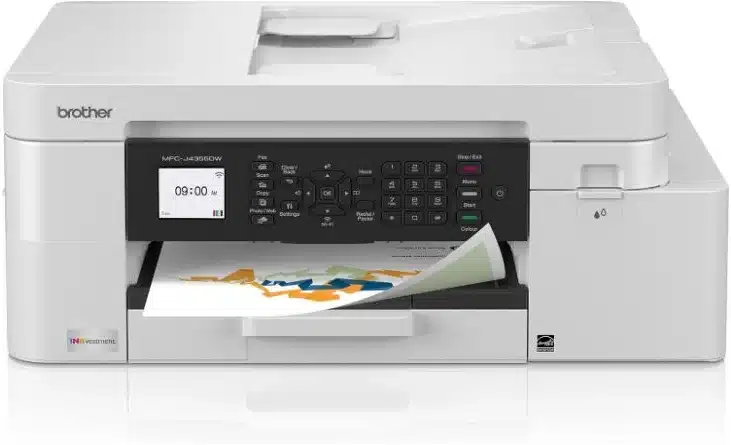
A home-based consultant may need color proposals, occasional invoices, and a few scanned pages without dedicating space to a departmental printer. The Brother MFC-J4355DW offers print, copy, scan, and fax functions with a 150-sheet tray and 20-sheet document feeder. Automatic duplex printing saves paper on multipage reports, but the feeder scans one side at a time. It uses replaceable ink cartridges rather than refillable bottles and has no Ethernet port, making it better suited to a smaller wireless workspace than an IT-managed wired office.
Key Specifications
- Cartridge-based color inkjet; print, copy, scan and fax
- Up to 20 ppm black and 19 ppm color
- Automatic duplex printing; 20-sheet single-sided ADF
- 150-sheet tray plus one-sheet manual feed
- Wi-Fi, Wi-Fi Direct and USB; no Ethernet
- 1.8-inch color display; LC506 ink cartridges
This product is best for
Home-based consultants combining occasional color proposals with short scan batches. Wireless networking and a small feeder cover those needs without a departmental machine.
Why we recommend it
Unlike a bottle-refill EcoTank, this INKvestment model uses replaceable cartridges. The 150-sheet tray and 20-sheet feeder are intentionally smaller than workgroup alternatives, and the absence of Ethernet matters where the office requires wired printer networking.
- Automatic duplex printing
- Color printing, scanning and fax in one unit
- Single-sided scanning only
- No Ethernet; relatively small paper tray
8. Brother MFC-L3780CDW
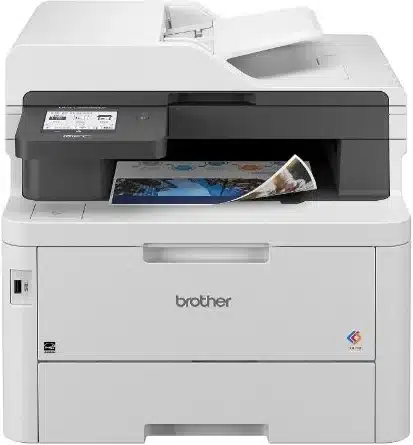
For HR teams handling onboarding packets, employee forms, and color training materials, the Brother MFC-L3780CDW combines up to 31 ppm printing with single-pass duplex scanning. That matters when signed forms must be captured on both sides and saved without manual page turning. Gigabit Ethernet supports a shared wired connection, and the NFC reader can fit compatible office authentication workflows. Its toner-based color system avoids inkjet-style ink drying concerns, but replacement toner and separate maintenance components affect long-term ownership cost.
Key Specifications
- Toner-based digital color; print, copy, scan and fax
- Up to 31 ppm black/color; automatic duplex printing
- Single-pass duplex scanning and copying
- Dual-band Wi-Fi, Gigabit Ethernet, USB and Wi-Fi Direct
- 3.5-inch touchscreen and NFC card reader
- TN229, TN229XL and TN229XXL toner options
This product is best for
Small HR teams scanning two-sided forms while printing color onboarding packs. Single-pass scanning reduces page handling, while NFC supports compatible badge-authentication workflows.
Why we recommend it
It fills the gap between an entry-level multifunction printer and the larger MFC-L8930CDW, whose 80-page feeder is better suited to longer batches. Replacement toner, drums, belt and waste-toner parts all contribute to ownership cost.
- Single-pass duplex scan and copy
- Gigabit Ethernet and NFC reader
- Multiple consumables beyond toner
- No wide-format printing
9. Epson WorkForce Pro WF-7840
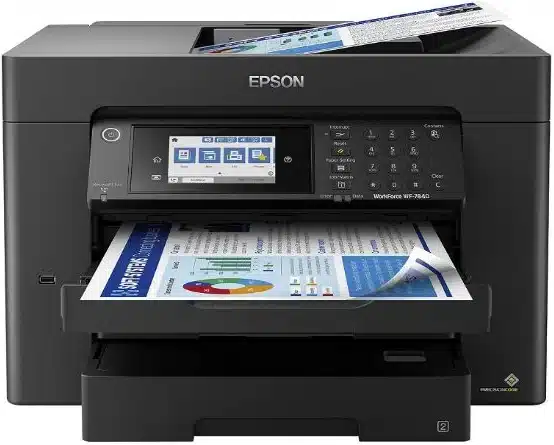
Architectural studios, design teams, and marketing departments need more than ordinary A4 or Letter output when reviewing plans and proofs. The Epson WorkForce Pro WF-7840 prints up to 13 × 19 inches and scans or copies up to 11 × 17 inches, giving it a wider document workflow than standard office all-in-ones. A 50-sheet feeder and duplex handling help with multipage originals, while its paper trays reduce switching between stocks. Its cartridge-based ink system and slower rated color speed make recurring large color jobs an important cost consideration.
Key Specifications
- Pigment-ink cartridge all-in-one; print, copy, scan and fax
- Up to 25 ISO ppm black and 12 ISO ppm color
- Print up to 13 × 19 inches; scan/copy up to 11 × 17 inches
- Automatic duplex print, copy and scan; 50-sheet ADF
- 500-sheet front-tray capacity plus 50-sheet rear feed
- Wi-Fi, Wi-Fi Direct, Ethernet and USB; Epson 812-series ink
This product is best for
Architectural practices scanning tabloid drawings and marketing teams printing oversize proofs. Its 13 × 19-inch output goes beyond standard tabloid paper.
Why we recommend it
Two front trays help separate regular office paper from larger sheets. It uses replacement cartridges rather than refillable tanks, and its 12 ISO ppm color speed is lower than its black-text rating. Those distinctions matter for large, color-heavy print runs.
- 13 × 19-inch print and tabloid scan capability
- Automatic duplex document handling
- Large footprint
- Cartridge costs for frequent color work
10. HP OfficeJet Pro 9135e
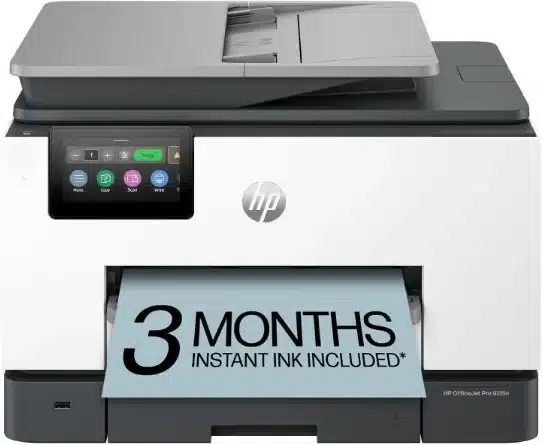
A sales or administration office that regularly alternates between letterhead and plain paper can benefit from the HP OfficeJet Pro 9135e’s two 250-sheet trays. Its 35-sheet single-pass duplex feeder helps staff capture signed agreements and other two-sided records, while Ethernet and Wi-Fi support shared printing. This is a standard-width color inkjet rather than a wide-format machine. Buyers should also consider cartridge compatibility, HP+ conditions if activated, and the ongoing cost of any optional Instant Ink subscription before deciding on total ownership cost.
Key Specifications
- Color thermal inkjet; print, copy, scan and fax
- Up to 25 ISO ppm black and 20 ISO ppm color
- 35-sheet single-pass two-sided ADF; automatic duplex printing
- Two 250-sheet input trays
- Dual-band Wi-Fi, Ethernet and USB
- HP 936-series cartridges; HP+ and Instant Ink terms apply if activated
This product is best for
Sales offices scanning signed agreements and maintaining separate stocks of plain paper and letterhead. The dual trays and single-pass feeder reduce routine paper changes.
Why we recommend it
It is distinct from the newer 9135 model, so the specifications here refer to the 9135e listing. The optional ink subscription renews for a fee after its trial unless cancelled. HP+ activation adds account, connectivity and original-ink requirements; dynamic security also affects cartridge compatibility.
- Single-pass duplex ADF
- Two 250-sheet paper trays
- No tabloid printing
- Ink-service and cartridge restrictions require consideration
Professional Buying Checklist
1. Start with your actual monthly page count
Estimate how many pages the entire team prints in a normal month, including peak periods. Use the manufacturer’s recommended monthly volume to size a printer for routine work; a much higher maximum duty cycle is not a sensible target for continuous use. Also consider how often employees refill the tray or wait for large print jobs.
2. Choose the printing technology for the work
Monochrome laser printers suit text-heavy invoices, contracts, and shipping paperwork when color is unnecessary. Color laser models are useful for shared offices producing reports and presentations. Cartridge inkjets offer flexible color printing, while refillable ink-tank models deserve attention when frequent color output makes consumable spending a major concern. Infrequent use can make inkjet maintenance more important.
3. Compare ownership cost, not just purchase price
For each candidate, estimate annual pages by multiplying your monthly volume by twelve. Check the price and published yield of compatible black and color consumables, and include drums, waste-toner units, or other replacement parts where applicable. A simple estimate is consumable price divided by rated page yield; actual cost varies with coverage and document type. Paper, electricity, service, and downtime also contribute to the total.
4. Decide which document-handling features save time
Automatic duplex printing prints both sides of paper; it does not necessarily mean a printer can scan both sides automatically. For contracts and personnel records, look specifically for a single-pass duplex automatic document feeder. Check feeder capacity, supported original sizes, and whether you need a large flatbed for books or drawings.
5. Match connectivity and security to the office
Wi-Fi is convenient for a small team, while Ethernet can be preferable for centrally managed shared devices. Where sensitive documents are involved, assess supported access controls, authentication, firmware updates, and network management features rather than assuming every connected printer offers the same protections.
6. Check paper sizes and practical limitations
Standard Letter or A4 printers are sufficient for most invoices and reports. Wide-format work may require 11 × 17-inch or larger output, and the maximum scan size can differ from the maximum print size. Finally, check desk space, tray capacity, envelope handling, and whether the model includes scanning, copying, and faxing.
Frequently asked questions
What type of printer is best for a small business?
For mostly black-and-white invoices and contracts, a monochrome laser multifunction printer is a practical starting point. Offices producing regular color materials should compare color laser and refillable ink-tank options using their expected monthly page volume.
Is a laser printer cheaper to run than an inkjet?
Not always. A monochrome laser can be economical for text documents, but refillable ink-tank printers may have lower consumable costs for frequent color pages. Compare actual cartridge or bottle yields, replacement prices, and maintenance parts for the models you are considering.
How many pages should a business printer handle each month?
Choose a model whose recommended monthly print volume comfortably covers your normal workload and busier periods. Do not confuse the maximum duty cycle with the volume the manufacturer recommends for regular operation.
Do I need an all-in-one business printer?
Choose an all-in-one if your team frequently scans signed forms, copies records, or uses fax. A print-only model can be simpler and more economical when scanning is already handled by another device.
Research and Product Specifications
Recommendations are based on product specifications, workplace use cases and published product information; this guide does not claim hands-on testing of every model.