
If you’re looking for a reliable business laptop that should be your long-term investment, we’ve got you covered. You may not understand hardware configurations or have the time to check the compatibility of each software application and decide on a good fit. If your work stays at one desk, our business desktop picks are worth comparing for upgradeability and long-term use.
We have selected business laptops from established manufacturers, prioritizing durability, warranty support, repairability, and hardware configurations suited to long-term business use.
All our picks come from leading brands that offer warranties and build durable machines. Not only do we appreciate the following business laptops, but they are also mostly top-rated laptops specially designed for business use cases.
It’s true that, the right business laptop depends on the work it needs to perform.
- For instance, accountants and financial analysts may prioritize processors and memory capable of handling large Excel spreadsheets, accounting software and financial models.
- Similarly, CEOs, executives and consultants should look for lightweight laptops with long battery life, comfortable keyboards and dependable video conferencing.
- IT departments may require Windows 11 Pro, hardware-based security and remote device management, while engineers, architects and creative professionals may need powerful processors, dedicated graphics and support for specialized applications such as AutoCAD, SolidWorks or Adobe Premiere Pro.
Plan for AI-assisted work, too.
As you know, businesses heavily use AI assistants and agents to help with research, reporting, customer support, document processing and repetitive workflows. If your team has not explored them, it is worth assessing where they could save substantial time and resources.
We therefore consider future AI use in these recommendations. Cloud-based AI tools may run comfortably on a capable everyday laptop, while on-device AI models, large datasets and local automation can demand more RAM, storage, processing power or a dedicated GPU.
So, we picked top-rated, future-proof business laptops for any of your use cases. Based on our research, we found that at least the following specs are needed for two categories of workloads.
On this page
Business Laptop Requirements Calculator
Tell us which applications you use and how demanding your work is. We’ll explain the hardware you need and show relevant laptops from our reviews.
How recommendations work: We assess your selected applications and workload, determine suitable processor, memory, storage and graphics capabilities, and compare them with the computer configurations featured in our reviews. We also account for running several applications at once.
Best Laptop Specs for Everyday Office Tasks
For email, web-based CRM, documents, video calls and ordinary spreadsheets, use this practical starting configuration:
- Processor: Modern Intel Core Ultra 5, AMD Ryzen 5/PRO or Apple M-series chip
- Memory: 16GB RAM for comfortable multitasking; 8GB only for basic, tightly budgeted workflows
- Storage: 512GB SSD as a practical business baseline
- Display: 13–16-inch Full HD/WUXGA or sharper screen, ideally with anti-glare treatment for office use
- Meetings and connectivity: Reliable webcam, microphone, Wi-Fi and USB-C docking support
- Business needs: Appropriate security, warranty and compatibility with your team’s software
Ideal Laptop Specs for Demanding Business Tasks (Design, Editing and Data Work)
Video editing, larger analytical datasets, development tools, virtual machines and design software need more headroom than everyday office applications.
- Processor: Higher-tier Core Ultra 7/9, Ryzen 7/9 or Apple Pro/Max-series chip where the software benefits
- Memory: 32GB RAM as a sensible starting point for heavier multitasking and production workflows
- Storage: 1TB SSD or more for local projects and media
- Graphics: Dedicated GPU or higher-tier integrated GPU when the application’s requirements justify it
- Thermals: Active cooling for sustained rendering, compilation or repeated heavy workloads
How we evaluate the picks: We compare each configuration against these workload requirements, then consider portability, ports, upgradeability and ownership costs. Actual performance depends on the exact configuration and software.
Best laptops for small business owners
Choose your laptop around the work you carry between home, your office and client meetings. These recommendations separate everyday business management, accounting, travel and office administration.
Everyday business management
Lenovo ThinkPad T14 Gen 6 (Intel)
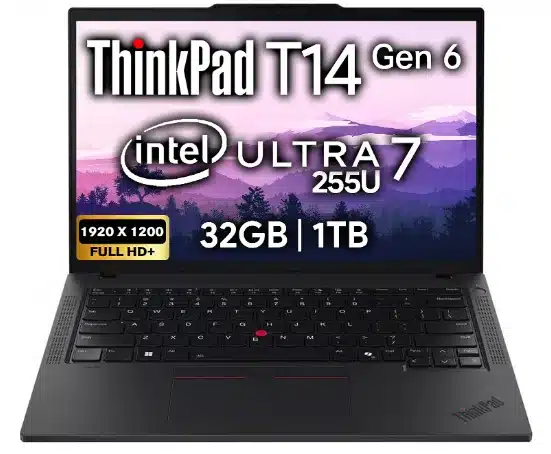
Reviewed configuration: 32GB RAM · 1TB SSD · 14-inch WUXGA
The 32GB memory gives accounting, CRM, spreadsheets and meeting apps room to run together. The 14-inch format keeps the workspace practical when moving between offices.
Trade-off: Integrated-graphics office work is a different workload from demanding 3D production.
Accounting and finance
Dell Pro 14 Plus
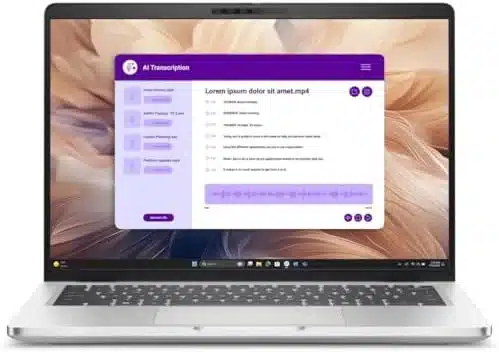
Reviewed configuration: 32GB DDR5 · 512GB SSD · Windows 11 Pro
The selected configuration combines multitasking memory with Windows 11 Pro for owners and finance teams using Windows business software.
Trade-off: The 512GB drive provides less local storage than the 1TB ThinkPad configuration.
Owners who travel between clients
Lenovo ThinkPad X1 Carbon Gen 13
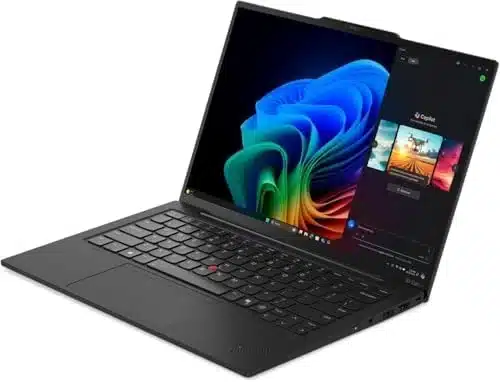
Reviewed configuration: 32GB RAM · 1TB SSD · 14-inch OLED
Its 14-inch format is easier to accommodate in a travel setup than a large mobile workstation, while 32GB supports reports, presentations and calls together.
Trade-off: Choose a dedicated workstation for demanding GPU rendering.
Invoices, orders and office administration
HP OmniBook 5 16
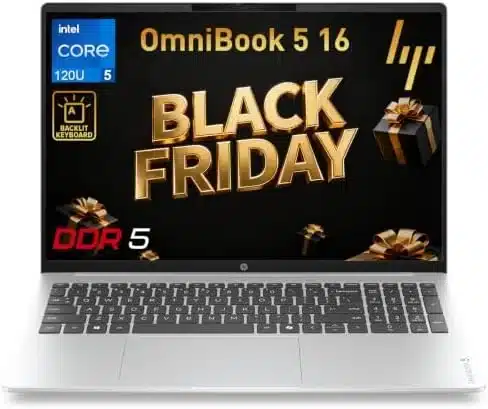
Reviewed configuration: 16GB RAM · 512GB SSD · Numeric keypad
The numeric keypad suits invoice entry, and the 16-inch screen provides room to view order records and documents side by side.
Trade-off: Windows 11 Home does not provide the same business-management features as Pro.
1. Lenovo ThinkPad T14 Gen 6 (Intel) — Best Overall Laptop for Small Businesses
Among Lenovo business laptops, the 14-inch ThinkPad T14 Gen 6 is powerful and durable enough that it’s our best overall pick for small business owners who split their day between Excel, accounting, CRM and client meetings.
Key Specifications
- Model: Lenovo ThinkPad T14 Gen 6 (Intel)
- Processor: Intel Core Ultra 7 255U
- Memory: 32GB RAM
- Storage: 1TB SSD
- Display: 14-inch WUXGA (1920 × 1200)
- Operating system: Confirm from the selected retail configuration
This business laptop is best for
- Finance and accounting teams: The 32GB memory configuration offers room for spreadsheets, accounting software, email and meetings to run together.
- Operations managers: A 14-inch WUXGA screen is practical for working between offices while reviewing procurement portals, dashboards and documents.
- Business consultants: The Intel Core Ultra 7 255U and 1TB SSD make this a practical configuration for presentations, research and large collections of client files.
Why we recommend it
Balanced business hardware: The Intel Core Ultra 7 255U, 32GB RAM and 1TB SSD give this ThinkPad a strong specification mix for multitasking, large workbooks, cloud-based business tools and frequent video meetings.
Portable work setup: The 14-inch 1920 × 1200 display provides a taller workspace than conventional 16:9 Full HD screens, making documents and spreadsheets easier to navigate on a compact laptop.
Who should choose something else: Work involving complex 3D models, sustained GPU rendering or large local AI models is better suited to one of the dedicated mobile workstations further down this list.
2. Dell Pro 14 Plus — Best Dell Business Laptop for Finance Teams
The Pro 14 Plus is the best business laptop from Dell. This business laptop pick is especially for finance teams, the Pro 14 Plus handles the everyday mix of QuickBooks Desktop, Excel, email and Zoom meetings with a Core Ultra 7 processor and 32GB DDR5 RAM.
That memory capacity leaves room for several applications to stay open together, while Windows 11 Pro supports the device-management needs of corporate IT teams. Its 14-inch anti-glare display is a practical size for moving between desks and meeting rooms.
Key Specifications
- Model: Dell Pro 14 Plus PB14250
- Processor: Intel Core Ultra 7 265U
- Memory: 32GB DDR5 RAM
- Storage: 512GB SSD
- Display: 14-inch Full HD+ (1920 × 1200), anti-glare
- Graphics: Integrated Intel graphics
- Operating system: Windows 11 Pro
This business laptop is best for
- Accountants and payroll teams: If you’re reconciling accounts in QuickBooks Desktop, preparing Excel reports and joining Teams calls, this 32GB Dell is a sensible step above a basic office laptop. The extra capacity helps when these applications are open together; it doesn’t mean twice the speed.
- Enterprise IT departments: For teams enrolling laptops into Intune, pushing Microsoft 365 and supporting remote employees, I’d favor the Pro line’s business ports and Windows 11 Pro. A managed Windows environment and straightforward docking matter more here than a flashy GPU.
- Sales operations managers: CRM dashboards, Excel forecasts, customer presentations and video meetings often run side by side. The Dell’s 32GB gives you comfortable multitasking headroom without workstation weight.
- Remote and hybrid employees: If you’re moving between a desk dock, a conference room and home, Ethernet, HDMI and Thunderbolt connections make this Dell particularly practical. You don’t need a dedicated GPU for that mix.
Why we recommend it
Performance in a real office: The Core Ultra 7 265U, 32GB RAM and SSD are a sensible combination for accounting, Excel, CRM and meetings running together. I’d buy it for reliable business multitasking, not promise workstation-level rendering from its integrated graphics.
Design and daily comfort: A restrained corporate design looks right in a boardroom, while the 14-inch 16:10 display offers useful vertical space for documents. The built-in Ethernet, HDMI and Thunderbolt connections are the real attraction: fewer adapters when you dock at a desk or connect to a conference-room display.
What to consider: This is a compact enterprise laptop, not a 16-inch creative workstation. Heavy 3D design and long rendering sessions deserve one of our RTX PRO picks.
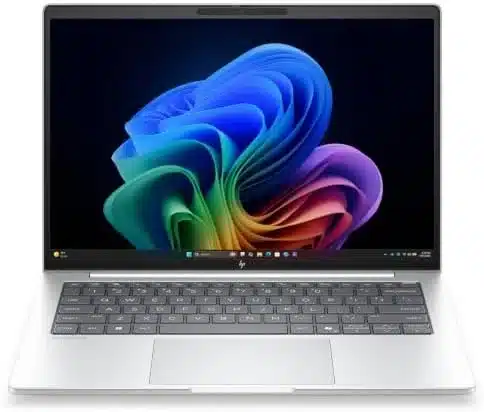
3. HP EliteBook 8 G2i — Best for Business Analytics and Operations
For business analytics and operations, this HP EliteBook is one of our best 14-inch business laptop picks. It combines 32GB RAM with a WUXGA anti-glare display, so analysts can keep larger Excel workbooks, reporting dashboards and meeting apps open while seeing more rows on screen than on a conventional 16:9 panel.
Key Specifications
- Model: HP EliteBook 8 G2i, D81W3UT#ABA
- Processor: Intel Core Ultra 7 355 (Series 3)
- Memory: 32GB RAM
- Storage: 512GB SSD
- Display: 14-inch WUXGA (1920 × 1200), anti-glare
- Graphics: Integrated Intel graphics
- Operating system: Windows 11 Pro
This business laptop is best for
- Business intelligence analysts: For Power BI Desktop reports, SQL queries and Excel, I would choose the 32GB configuration over 16GB. Microsoft publishes Power BI Desktop’s requirements, and SQL Server Management Studio recommends 16GB RAM. Bigger data models can consume far more memory than installation minimums, so the extra capacity is useful.
- Finance managers: Budget models, management reporting, Microsoft 365 and Teams can stay open throughout a finance manager’s day. The point of 32GB isn’t to make Word faster; it’s to leave room for substantial workbooks and simultaneous applications.
- HR and payroll professionals: HR portals, employee records, payroll spreadsheets and regular video interviews make this a good fit. The 32GB configuration is a sensible buffer for that workload.
- ERP and operations specialists: If your day revolves around browser-based ERP screens, supplier portals, reporting exports and Excel, this is the configuration I’d shortlist. The additional memory is for the complete workflow, not a claimed ERP requirement.
Why we recommend it
Why I’d choose it: The 32GB configuration gives analysts and finance teams enough room to keep several professional tools open without treating the software’s installation minimum as a realistic workload target. An SSD helps with local files and app loading, while a modern Core Ultra processor is a strong fit for sustained office productivity.
Office-friendly design: This D81W3UT#ABA configuration combines a 14-inch 1920 × 1200 anti-glare screen with 32GB RAM and Windows 11 Pro. It suits analysts who move between desks and meeting rooms, with sufficient vertical space for report filters and spreadsheet rows.
Storage and graphics: The 512GB SSD suits business applications and working documents; extensive local datasets may need additional storage. Integrated graphics make this a reporting and office recommendation rather than a GPU-rendering workstation.
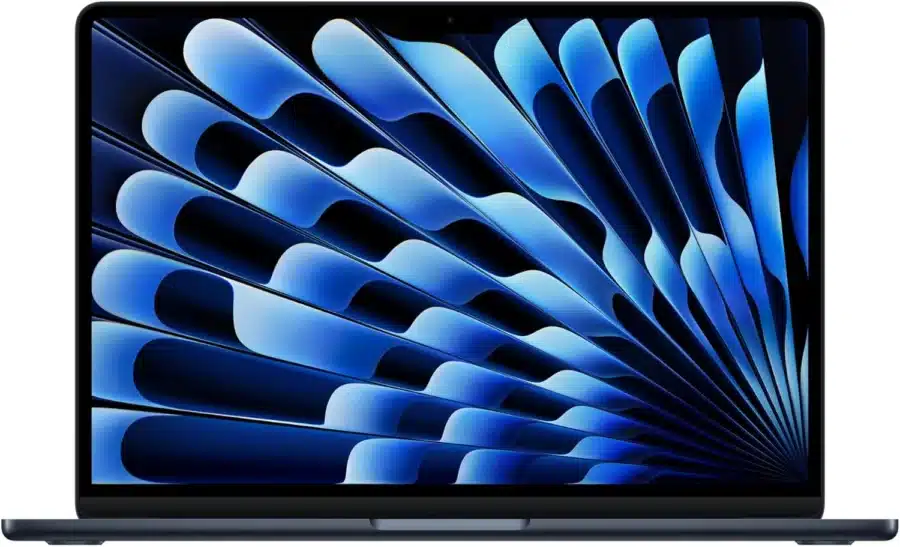
4. Apple MacBook Air with M5 — Best portable Mac for CEOs and Executives
For business owners, CEOs and executives who want one laptop for business and personal use, the 13.6-inch MacBook Air is our portable Mac pick. Its 32GB unified memory supports browser-based business tools, documents and presentations alongside everyday personal apps, and its fanless design stays silent.
Key Specifications
- Model: Apple MacBook Air 13-inch M5, CTO Z1L6000RR
- Processor: Apple M5, 10-core CPU and 10-core GPU
- Memory: 32GB unified memory
- Storage: 512GB SSD
- Display: 13.6-inch Liquid Retina
- Operating system: macOS; fanless design
This business laptop is best for
- Consultants and business strategists: For presentations, client research, Microsoft 365 for Mac and dozens of browser tabs, a 32GB MacBook Air makes sense. I’d buy the extra unified memory for longer-term multitasking flexibility, not because basic Office requires it.
- Sales directors and executives: A portable machine that stays quiet during meetings is often more valuable than a bulky workstation. The Air is an excellent candidate for presentations, calls and CRM in a browser, provided your company supports Macs.
- Marketing and communications teams: If you’re editing campaign graphics in Photoshop, writing copy and working in Canva or Figma, 32GB unified memory gives Photoshop room alongside browser-based design tools. Adobe recommends 16GB RAM or more for Photoshop. I’d still move to an actively cooled Pro-class Mac for long 4K exports or sustained rendering.
- Mac-based analysts using compatible software: Excel for Mac, browser dashboards and lightweight scripting are reasonable jobs for this machine. But Power BI Desktop and several Windows accounting tools have platform restrictions, so confirm the exact applications before treating this as a Windows workstation replacement.
Why we recommend it
What makes it attractive: The M5 chip, 512GB SSD and 32GB unified memory make a responsive-feeling combination for business apps, research, presentations and moderate creative work. This is a specification-based recommendation, not a measured performance claim.
Design and portability: The thin aluminum body, sharp 13.6-inch display, quiet fanless operation and compact footprint are major reasons I’d recommend it to consultants who carry a laptop all day. It looks at home in a client meeting without the size and weight of a workstation.
The trade-off: Fanless cooling is excellent for silence, but sustained rendering favors an actively cooled machine. The port selection is limited, and Windows-only desktop accounting or engineering software needs a separate compatibility plan.
5. Lenovo ThinkPad X1 Carbon Gen 13 — Best Business Laptop for Executives and Travel
For CEOs, executives and consultants who travel, the ThinkPad X1 Carbon is our Lenovo pick for a compact business laptop. Its 14-inch format takes less bag space than a 16-inch workstation, while its selected memory configuration supports presentations, spreadsheets and video calls. That makes it a better match for mobile executive work than for sustained GPU rendering.
Key Specifications
- Model: Lenovo ThinkPad X1 Carbon Gen 13 Aura Edition
- Processor: Intel Core Ultra 7 258V
- Memory: 32GB RAM
- Storage: 1TB PCIe Gen5 SSD
- Display: 14-inch 2.8K OLED (2880 × 1800), 120Hz, non-touch
- Graphics: Integrated Intel Arc 140V
- Operating system: Windows 11 Pro
This business laptop is best for
- Executives who travel frequently: For an executive working from airports, hotels and client offices, I’d prioritize the X1 Carbon’s portable design and keyboard. Its 32GB RAM supports simultaneous reporting and meeting applications, while the 1TB SSD provides room for client files.
- Management consultants: Consultants tend to combine PowerPoint decks, Excel models, client portals and video calls. The advantage here is carrying a premium 14-inch business laptop instead of a heavy 16-inch workstation.
- Client-facing sales leaders: If you’re showing proposals, reviewing pipeline dashboards and joining video calls, the X1 Carbon fits the job well. Just verify your company’s CRM works in its supported browser.
- Remote business owners: Owners often need to switch from bookkeeping to presentations and meetings with little warning. I’d choose this for mobility, not for complex 3D rendering.
Why we recommend it
Where it earns its price: The X1 Carbon is for someone who carries a laptop constantly. The Core Ultra 7 258V, 32GB RAM and 1TB SSD support presentations, reporting and collaboration in a compact chassis. The 14-inch 2880 × 1800 OLED screen offers a detailed workspace for client decks and side-by-side documents.
Feel and practicality: The understated carbon-fiber ThinkPad styling, compact 14-inch form factor and keyboard-focused design are compelling for executives who spend as much time writing as presenting. It’s a machine I’d be comfortable bringing to a client meeting or using on a crowded flight.
Trade-offs: This configuration uses a non-touch OLED display and integrated Arc 140V graphics. It prioritizes portable business work; demanding GPU scenes and sustained rendering are better served by a dedicated workstation.
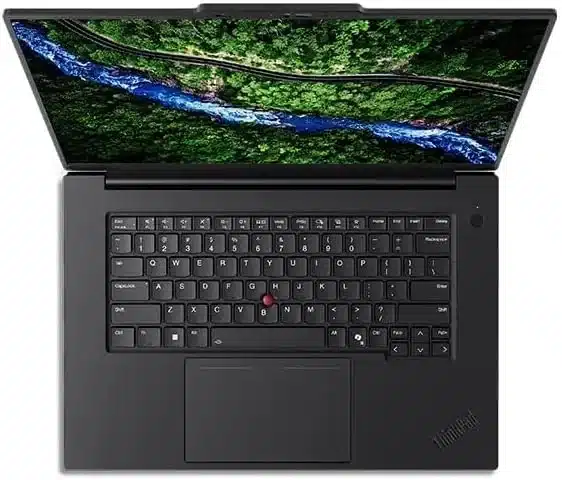
6. Lenovo ThinkPad P1 Gen 8 — Best Portable Business Laptop for Engineers
Engineers who need a business laptop for AutoCAD and other demanding design applications should consider the ThinkPad P1 mobile workstation. Its workstation-class graphics options and 64GB RAM configuration offer more capacity for complex drawings, project files and concurrent design tools than a basic office ultrabook.
Key Specifications
- Processor: Intel Core Ultra 9 285H with vPro
- Memory: 64GB CAMM memory
- Storage: 1TB PCIe Gen4 SSD
- Graphics: NVIDIA RTX PRO 2000 Blackwell, 8GB GDDR7
- Display: 16-inch IPS (3840 × 2400), 800 nits, anti-glare
- Operating system: Windows 11 Pro
This business laptop is best for
- CAD specialists and architects: If you’re working in Revit rather than merely reviewing drawings, the P1’s workstation GPU and 64GB RAM are worth paying for. Autodesk specifies 32GB for balanced Revit work and 64GB for large, complex models. The 8GB dedicated GPU memory also matches Autodesk’s large-model graphics-memory guidance, though certification and model size still matter.
- Professional graphic designers: Photoshop, Illustrator and large layered artwork benefit from a strong processor, ample memory and a dedicated GPU. This 64GB P1 has considerably more headroom for multiple creative apps than a 16GB ultraportable, although GPU acceleration varies by feature.
- Software engineers running virtual machines: For Visual Studio, Docker, local databases and test environments, 64GB is a compelling configuration. Microsoft says Visual Studio recommends 16GB and works best with 64GB; Docker Desktop requires at least 8GB and virtualization support on Windows. That’s why I’d choose this over a thin 16GB office laptop for serious development.
- Technical consultants working on-site: Engineering consultants who edit drawings or compile projects at client sites need workstation capability without hauling a desktop. The P1 is the more travel-friendly workstation choice, though it still weighs more than an ultraportable.
Why we recommend it
Why this is a workstation: The Core Ultra 9 285H, 64GB RAM and RTX PRO 2000 GPU give you a materially different class of hardware from the integrated-graphics laptops above. You get CPU capacity for development and technical work plus dedicated graphics memory for supported CAD and creative applications.
Design and portability: I like the P1 for professionals who need serious hardware but still visit client sites. Its slimmer workstation approach is more practical to carry than the largest 16-inch desktop replacements, while the bigger display gives designers more room for panels, drawings and timelines.
Know the limits: The 8GB VRAM can still be a constraint for very large GPU scenes. The 3840 × 2400 IPS screen provides space for drawing detail and development panels. Application-specific GPU certification and power limits still matter for demanding production work.
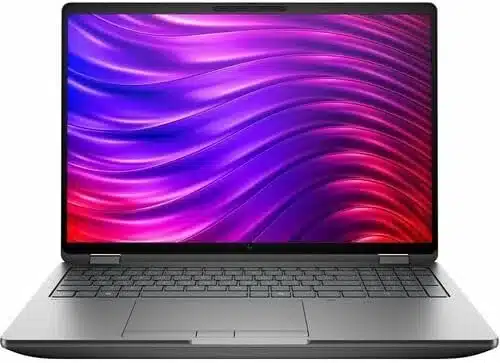
7. HP ZBook Fury G1i 16 — Best for engineering and production
Our HP business laptop recommendation for engineering and professional video editing is the 16-inch ZBook Fury workstation.
Its 64GB RAM configuration accommodates larger CAD projects and high-resolution editing workflows, while dedicated RTX PRO graphics support GPU-accelerated applications. Those capabilities give technical teams a concrete reason to choose it over a lighter integrated-graphics office laptop.
Key Specifications
- Model: HP ZBook Fury G1i 16, D9TG6UT#ABA
- Processor: Intel Core Ultra 9 290HX Plus
- Memory: 64GB RAM
- Storage: 1TB SSD
- Graphics: NVIDIA RTX PRO 5000
- Display: 16-inch WQUXGA (3840 × 2400), 120Hz
- Operating system: Windows 11 Pro
This business laptop is best for
- Mechanical and civil engineers: For large Revit projects, design coordination and engineering drawings, the ZBook’s 64GB RAM and dedicated RTX PRO graphics are the right class of hardware. Check the exact CAD application’s supported GPU drivers and certification.
- Architectural BIM teams: BIM teams often keep a large Revit model, reference documents and collaboration tools open together. I’d rather have this workstation’s memory and cooling headroom than try to stretch a thin 16GB laptop.
- Professional video editors: If you’re cutting 4K footage and keeping graphics apps open, the 64GB ZBook gives useful headroom. Adobe recommends 32GB RAM or more for 4K and higher-resolution media. The dedicated GPU helps supported effects and playback workflows, but actual export speed needs benchmarks and codec-specific testing.
- 3D visualization specialists: For GPU-rendered scenes, the dedicated RTX PRO 5000 GPU is a meaningful upgrade from integrated graphics. Rendering engines differ considerably, so check your renderer’s VRAM and GPU compatibility before buying.
Why we recommend it
Performance case: The Core Ultra 9 290HX Plus processor, 64GB RAM and RTX PRO 5000 GPU are why I’d pick this for demanding Windows engineering or production software. This is a machine intended for heavy projects, not simply a more expensive way to open spreadsheets.
Build and working experience: The 16-inch chassis gives you a more comfortable canvas for CAD toolbars, timelines and detailed models. The professional, no-nonsense styling fits engineering teams, while a larger workstation chassis can make more room for sustained cooling and serviceability than a thin ultraportable.
Trade-offs: Expect a bulkier laptop, more power consumption and a higher purchase price. This D9TG6UT#ABA configuration pairs the RTX PRO 5000 with a 3840 × 2400, 120Hz display. Its premium hardware is most relevant when engineering or production workloads justify the cost.
Display for technical work: The 16-inch WQUXGA panel provides a detailed canvas for drawings and timelines; a desk monitor remains useful for long production sessions.
8. Dell Pro Max 16 Plus — Best High-End Business Laptop for IT Professionals
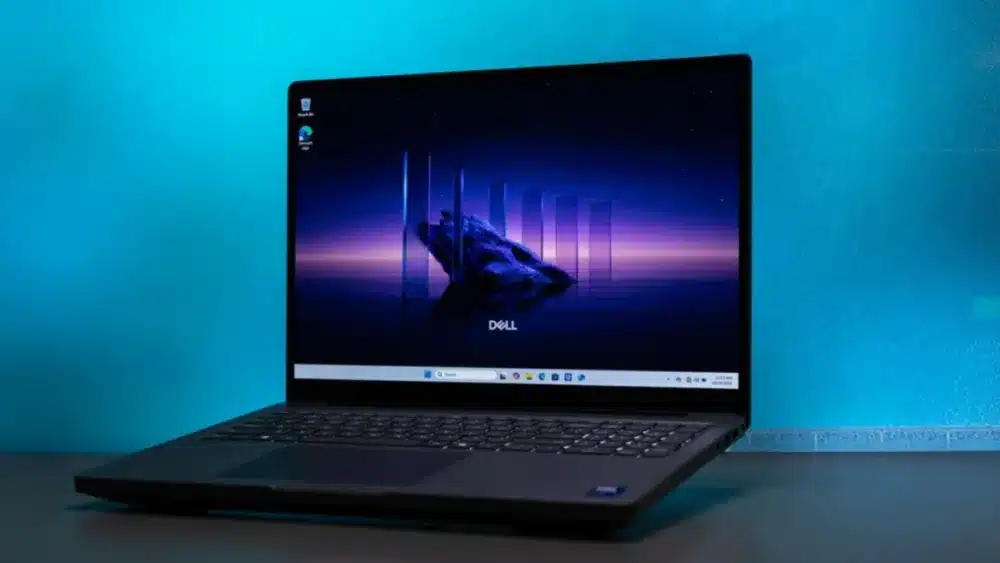
For IT professionals and software developers running containers, virtual machines and local databases, the Dell Pro Max 16 Plus is our high-end Windows business laptop pick. Its 64GB RAM gives memory-hungry development tools more room to run simultaneously, while the 16-inch screen accommodates code, logs and documentation side by side.
Key Specifications
- Intel Core Ultra 9 285HX
- 64GB RAM configuration
- 1TB SSD
- NVIDIA RTX PRO 3000 workstation GPU option
- 16-inch mobile workstation; Windows 11 Pro
This business laptop is best for
- Enterprise software developers: Visual Studio, test suites and containers are exactly the kind of workloads that justify 64GB. The HX-class processor is another reason I’d shortlist this for substantial compile workloads.
- Data engineers and database specialists: If you’re running local SQL instances, database clients, ETL jobs and development tools, extra RAM can be more valuable than an ultrathin chassis. The 64GB configuration gives you room to allocate resources deliberately.
- CAD and simulation professionals: The RTX PRO GPU and 64GB RAM make this Dell a serious alternative to consumer business laptops. For simulations, confirm solver requirements and GPU support; not every engineering application benefits equally from the GPU.
- High-resolution media production teams: Premiere, Photoshop and local media caches can demand substantial memory and SSD space. With 64GB and a dedicated GPU, I’d shortlist this for demanding Windows production, while budgeting for additional project storage.
Why we recommend it
What you’re paying for: The Core Ultra 9 285HX, 64GB RAM and RTX PRO graphics target serious development, data and production workloads. For a professional using containers, local databases and CAD software, I’d prioritize that memory capacity and sustained-performance design over thinness.
Appearance and usability: Dell’s understated workstation styling works in an enterprise office, while the 16-inch screen is much easier to live with for coding, timelines and side-by-side technical windows. A desktop-replacement workstation is most convincing when it spends much of the day at a desk or docking station.
Before ordering: This isn’t a lightweight travel-first recommendation. Confirm the GPU’s exact VRAM, service options and configuration because different Pro Max 16 Plus SKUs vary significantly.
9. Lenovo ThinkPad P16 Gen 3 — Best for extreme engineering and local AI
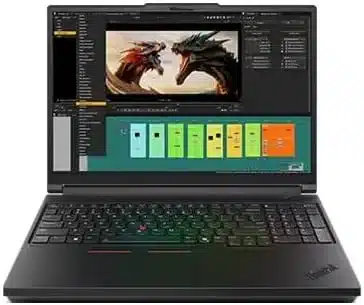
For engineers and AI developers who run demanding models locally, the ThinkPad P16 Gen 3 is our most powerful Lenovo business workstation pick.
Its 128GB RAM configuration supports memory-intensive datasets and virtualized environments, while the listed RTX PRO 5000 GPU supplies 24GB of dedicated video memory for compatible GPU workloads. These specifications matter for local AI in a way they do not for ordinary cloud-based AI assistants.
Key Specifications
- Processor: Intel Core Ultra 9 275HX, 24 cores
- Memory: 128GB DDR5 SODIMM RAM
- Storage: 2TB PCIe Gen5 SSD
- Graphics: NVIDIA RTX PRO 5000 Blackwell, 24GB GDDR7
- Display: 16-inch 3.2K tandem OLED (3200 × 2000), touch, 600 nits, 40–120Hz
- Operating system: Windows 11 Pro
This business laptop is best for
- AI engineers running local GPU workloads: The standout feature is 24GB of dedicated RTX PRO VRAM alongside 128GB system RAM. Check the exact framework, quantization and model VRAM needs before committing.
- Simulation and computational engineering teams: If you’re solving large engineering problems locally, the 24-core HX processor and 128GB RAM give you a much more substantial starting point than a typical business notebook.
- Architects managing very large BIM models: For complex BIM projects, this is the laptop I’d examine first when memory capacity is the bottleneck. It does not guarantee a particular project will run twice as fast.
- 3D rendering and visualization professionals: The RTX PRO 5000’s 24GB VRAM is the clearest reason to pay for this class of workstation. I’d choose it for substantial scenes, not ordinary PowerPoint work.
Why we recommend it
Why it’s our extreme-workload choice: A 24-core Core Ultra 9 HX processor, 128GB RAM and 24GB RTX PRO VRAM put this P16 in a different league from mainstream business laptops on paper. I’d recommend investigating it for genuinely memory-hungry engineering and GPU projects—not ordinary accounting or office work.
Build and working experience: This is a substantial, professional-looking 16-inch workstation built around performance and expandability rather than being the thinnest laptop in the room. That trade-off makes sense if it replaces a desktop for demanding client projects or technical field work.
Reasons not to buy: Weight, power needs and price are meaningful compromises. For most professionals, 32GB or 64GB will be more economical; even 24GB VRAM does not guarantee a particular AI model or renderer fits.
10. HP OmniBook 5 16 — Best 16-Inch HP Laptop for Office Administration
This is our best 16-inch HP laptop pick for small-business office administration. Its larger display gives staff more room for spreadsheets, order records and two windows side by side, while 16GB RAM supports routine browser-based business tools and documents.
The backlit keyboard and numeric keypad also make it practical for invoice entry and inventory updates.
Key Specifications
- Processor: Intel Core 5 120U, 10 cores, up to 5.0GHz
- Memory: 16GB DDR5 RAM
- Storage: 512GB SSD
- Display: 16-inch IPS (1920 × 1200), 300 nits, 60Hz, anti-glare
- Graphics: Integrated Intel graphics
- Operating system: Windows 11 Home
- Keyboard: Backlit with numeric keypad
This business laptop is best for
- Small-business administrative staff: For invoices, scheduling, Word documents and cloud business software, the Core 5 120U, 16GB RAM and 512GB SSD cover the needs of typical document and browser-based workflows. The numeric keypad is useful for invoice entry and spreadsheet updates.
- Customer support representatives: Browser-based ticketing, VoIP tools, chat and Teams meetings are the normal workload here. Sixteen gigabytes is a practical starting point for these applications together, subject to the number of browser tabs and call tools.
- Retail and inventory coordinators: For stock records, order portals and spreadsheet exports, a 16-inch display makes long shifts more comfortable. Check any local POS hardware or peripheral drivers first.
- Office assistants working in cloud systems: If your work is calendars, customer records, file sharing and online meetings, you don’t need 64GB or a professional GPU. The 16GB configuration suits these everyday tasks; intensive editing and data engineering call for more memory and stronger graphics.
Why we recommend it
Why it suits office administration: The Core 5 120U and 16GB DDR5 memory provide a practical configuration for Word, Excel, browser-based order systems and video calls. The 512GB SSD holds applications and working files, while the backlit numeric keypad supports regular data entry.
Design and everyday use: The larger 16-inch display is its practical selling point: more room for spreadsheets, order records and two windows side by side. It’s particularly appealing for desk-based work where screen space matters more than the lightest possible bag.
Business limitations: Windows 11 Home suits individual and small-office use. Organizations requiring Windows domain join or Pro management features should choose a Windows 11 Pro configuration. The selected seller opens the original seal for memory or storage upgrades.
Frequently Asked Questions
Which laptop is best for a small business owner?
Our starting pick is the ThinkPad T14 Gen 6 configuration above for mixed office work. Choose the Dell Pro 14 Plus when Windows 11 Pro and finance workflows are priorities, or the HP OmniBook 5 16 when routine administration and a numeric keypad matter most. The right choice follows your software and work pattern.
Should a small business owner choose a laptop or desktop?
Choose a laptop when the same computer needs to travel to meetings or between home and the office. Choose a desktop for a fixed workspace where an existing monitor, additional storage or easier component upgrades matter more. Our business desktop review covers compact PCs, towers and all-in-ones.
What is a business laptop?
A business laptop is a portable computer built for professional work, from everyday office tasks to demanding applications in finance, engineering, IT and creative industries.
Our business versus consumer laptop comparison explains why business-oriented models often place greater emphasis on reliability, data security, durability, connectivity, manageability and long-term support.
You must understand that the best choice for business is not necessarily the most expensive machine (like gaming laptops are mostly expensive); it is one whose capabilities suit the work you need to do.
Best business laptop manufacturers:
Major manufacturers include Lenovo, Dell, HP, ASUS, Microsoft and Apple. Their professional ranges include Lenovo ThinkPad, Dell Pro, HP EliteBook and ZBook, ASUS ExpertBook, Microsoft Surface for Business and Apple’s MacBook lineup.
They serve freelancers, entrepreneurs, small businesses, large corporations, educational institutions, government departments and IT-managed organizations, although not every model offers the same enterprise features.